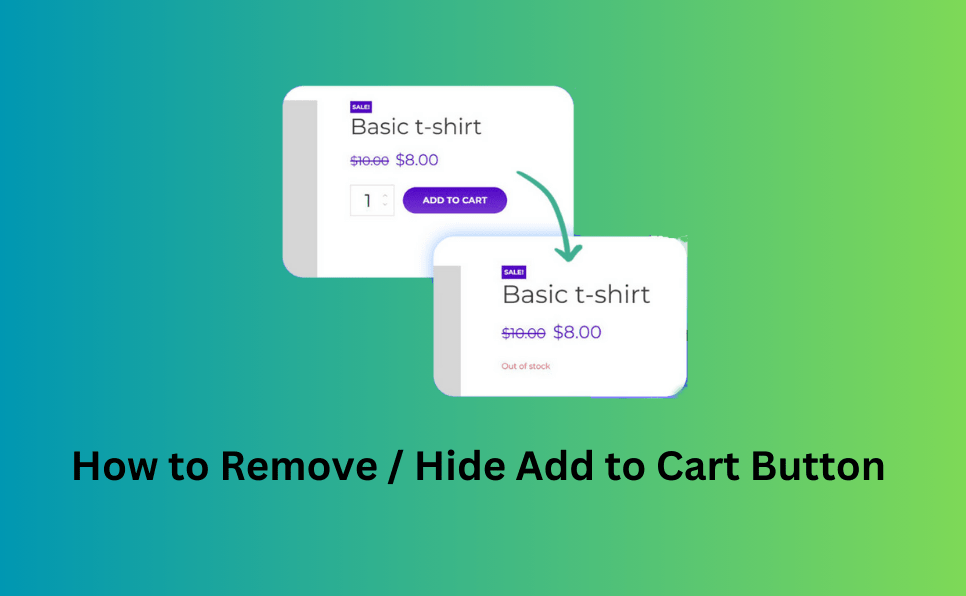
Every WooCommerce store owner knows that sometimes you need to pause sales without taking your entire store offline. But what does that actually mean? Does it mean showing a Coming Soon page, disabling checkout, hiding products, or just changing button labels?
Two concepts often get mixed up:
Though they might sound similar, they serve very different purposes—and choosing the right one can improve user experience, SEO, and store operations.
In this post, we’ll clarify the difference between WooCommerce Catalog Mode and Maintenance Mode, help you understand when to use each, and show how the Product Catalog Mode For WooCommerce plugin makes catalog mode easy and effective.
What Is WooCommerce Catalog Mode?
Catalog Mode means your products are visible to customers — they can browse, filter, and view product details — but they cannot make purchases.
Key behaviors in Catalog Mode can include:
✔ Products still show in shop and category pages
✔ Prices may be hidden (optional)
✔ “Add to Cart” buttons are removed or disabled
✔ Cart and checkout pages can be blocked or redirected
✔ Custom messages can inform customers why orders are disabled
This is a great way to showcase your products while disabling buying activity temporarily.
Example Scenarios for Catalog Mode
🔹 Holiday closures (without hiding the store)
🔹 Pre-launch product previews
🔹 B2B stores selling by quotes only
🔹 Wholesale stores needing inquiry forms instead of orders
🔹 Inventory updates before restocking
One excellent way to enable Catalog Mode in WooCommerce is with the Product Catalog Mode For WooCommerce plugin. It helps you turn your shop into a catalog easily, with options to hide cart and checkout, customize messages, and control visibility. This is perfect for stores that want to preserve SEO and keep product pages live without accepting orders.
What Is Maintenance Mode?
Maintenance Mode is very different. It completely hides your website (or parts of it) from visitors and usually displays a temporary message like:
“We’re updating our store. Please check back soon!”
In maintenance mode:
❌ The shop isn’t browseable
❌ Product pages are inaccessible
❌ Search engines may be discouraged from crawling the site
❌ Customers see a placeholder page instead
This is appropriate when:
Maintenance mode turns off the storefront, while catalog mode keeps it on but disables purchasing.
Catalog Mode vs Maintenance Mode — Side-by-Side
| Feature | Catalog Mode | Maintenance Mode |
| Show products | ✅ Yes | ❌ No |
| Allow purchases | ❌ No | ❌ No |
| SEO visibility | ✅ Yes — product pages stay indexable | ❌ Often hidden from search engines |
| Shop navigation | ✅ Yes | ❌ No |
| Customer engagement | ✅ Yes (browsing, inquiries) | ❌ No |
| Best for | Temporary pauses + visibility | Full site hide during upgrades or launch |
When to Use Catalog Mode
Use Catalog Mode when:
Temporary Sales Suspension
You want customers to browse your products during:
Instead of hiding the store, catalog mode lets visitors still engage with your products without ordering.
Product Showcase, Not Sales
If you want to display products without selling directly (example: B2B, portfolio, quotes), catalog mode lets you keep your store online and SEO-friendly — even when checkout is off.
Inventory, UX & SEO Benefits
This is where Product Catalog Mode For WooCommerce shines — it lets you easily turn your shop into a catalog with flexible control over what customers see and can do.
When to Use Maintenance Mode
Use Maintenance Mode when:
This is more of a site closure than a store mode — customers should not explore or interact with the brand while in maintenance mode.
Key Benefits of Each
Catalog Mode
Maintenance Mode
Final Thoughts
Both Catalog Mode and Maintenance Mode are valuable tools — but they serve very different purposes:
Catalog Mode keeps your store alive while suspending sales
Maintenance Mode shuts down the storefront entirely
For stores that want to stay visible and professional even when not accepting orders, Catalog Mode is often the best choice.
And if you want a reliable, easy solution, check out
Product Catalog Mode For WooCommerce
— a plugin that helps you enable catalog mode, customize messages, manage cart behavior, and retain customer interest without processing orders.
Plugins to Enhance Your WooCommerce Store
Carefully selected tools to help you customize, manage, and optimize your WooCommerce experience.
Woo Parent Category Selector
- Automatically assign parent categories when child categories are selected
- Prevent accidental removal of required parent categories
- Automatically repairs missing parent category assignments during product save
- Bulk repair existing WooCommerce product category structures
- Keeps product category structures organized and consistent
Product Catalog Mode For WooCommerce
- Turn your WooCommerce store into catalog mode instantly
- Hide Add to Cart buttons and product prices conditionally
- Apply rules by user role, country, or scheduled time periods
- Display custom messages and inquiry options for products
- Control visibility settings globally or per product

Remove Add to Cart Button for WooCommerce
- Remove Add to Cart buttons from shop and product pages
- Hide buttons conditionally for selected products or categories
- Replace Add to Cart with custom text or messages
- Control button visibility by user role and product type
- Lightweight settings interface with easy customization

Remove Product Content for WooCommerce
- Hide product title, image, price, rating, and descriptions
- Remove tabs, meta information, SKU, tags, and related products
- Control visibility separately for shop and single product pages
- Customize WooCommerce layouts without coding
- Enable or disable content elements with simple settings

Really Simple XML and HTML Sitemap
- Generate both XML and HTML sitemaps automatically
- Display sitemaps anywhere using ShortCode support
- Include pages, posts, and custom post types
- Exclude selected pages or posts easily
- Supports WPML and Polylang multilingual plugins