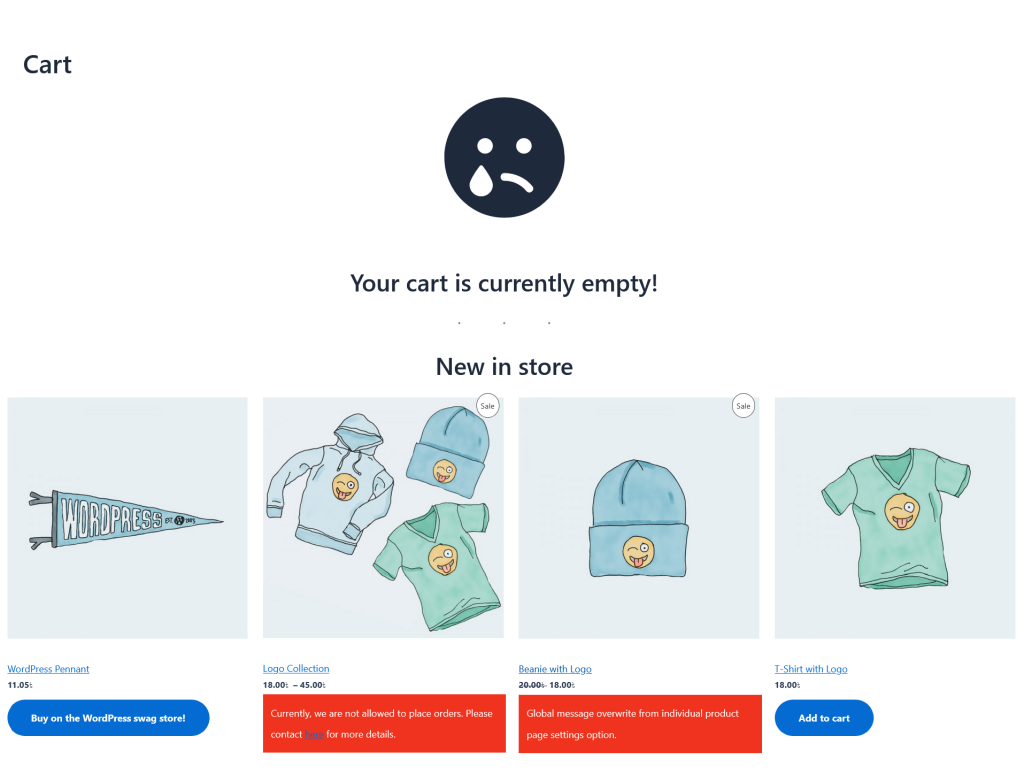
Product Catalog Mode for WooCommerce
Product Catalog Mode For WooCommerce plugin can TURN INTO your online store as CATALOG ONLY MODE hiding by product price, Add to Cart button on a single click. Store owners can make their online store as a catalog store based on different conditions. They can collect customer inquiries effortlessly via email using powerful inquiry system( built-in inquiry form, Integrate Contact Form 7 and WPForms ).
Price: $39 / Lifetime
About This Plugin
Sometimes store owners want to display products as a catalog without allowing immediate purchases. This may be necessary during holidays, maintenance periods, sales preparation, wholesale-only operations, or limited-time sales restrictions.
Product Catalog Mode for WooCommerce allows you to instantly turn your WooCommerce store into a catalog by removing Add to Cart buttons with a single click.
You can enable catalog mode globally or apply it conditionally based on visitors, user roles, countries, or scheduled time periods.
The plugin now includes advanced scheduling controls, allowing store owners to activate catalog mode:
- Between defined start and end dates
- On selected weekdays
- Within specific start and end times
This provides precise control over when your store accepts orders.
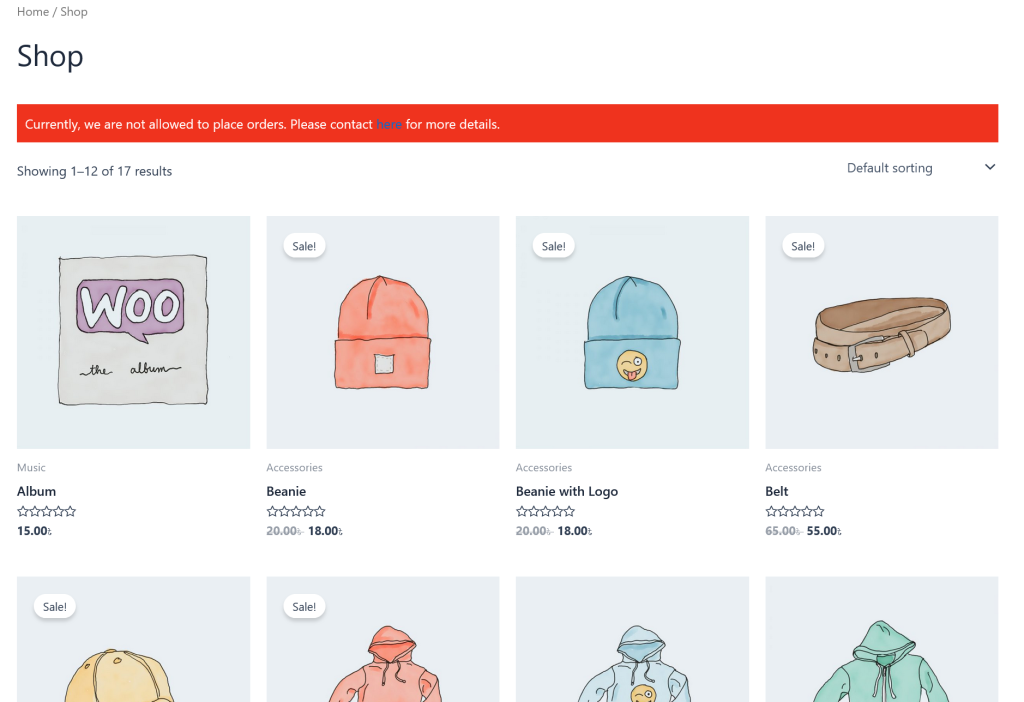
You can also display fully customizable messages on:
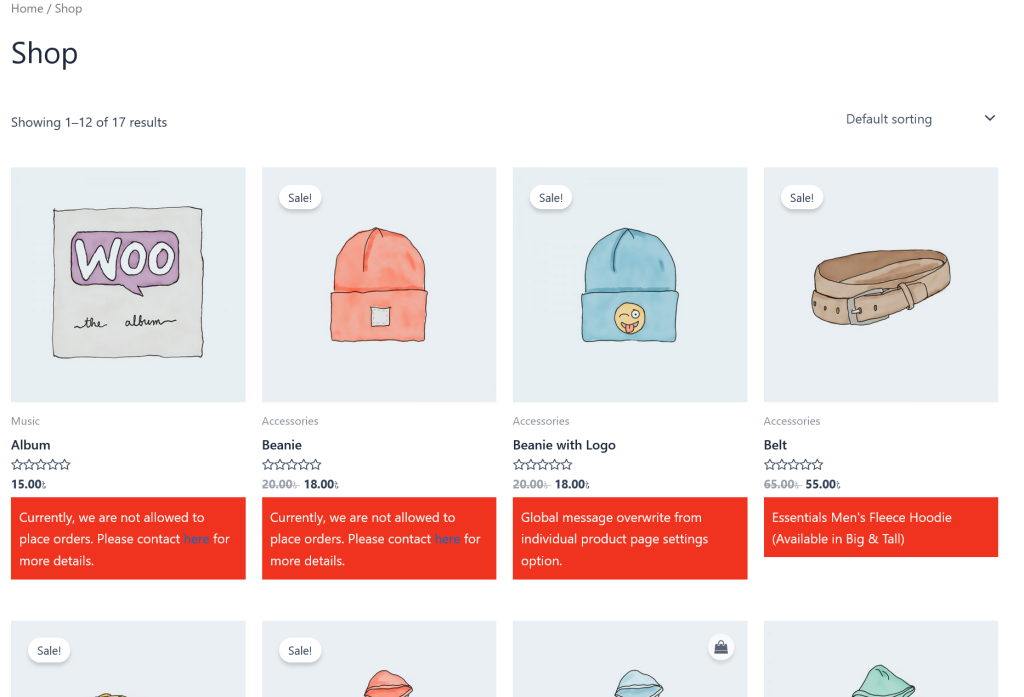
- Shop and archive pages
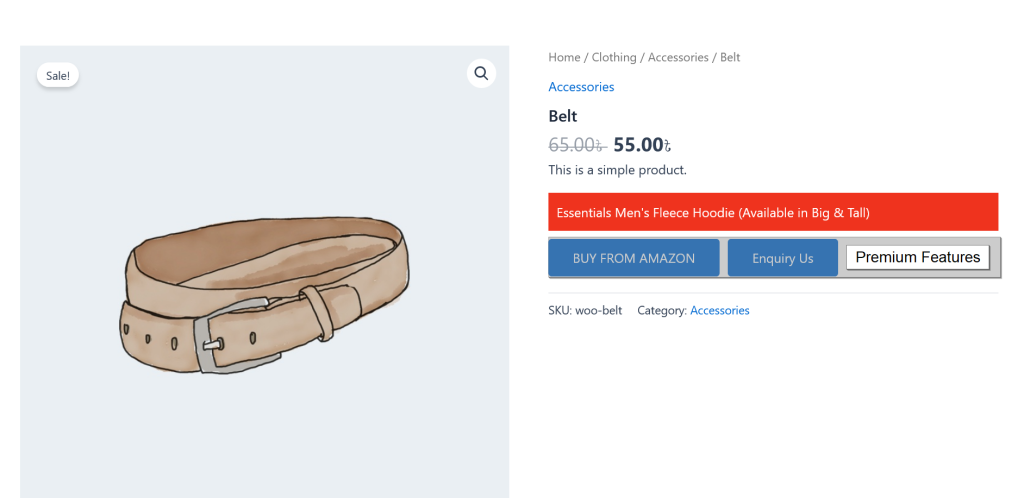
- Product details page
Message placement can be configured for shop/archive pages.
Replace hidden prices with meaningful text
Instead of leaving empty space when product prices are hidden, you can display custom text such as:
- Price on request
- Login to view price
- Contact us for pricing
This ensures your store looks professional while clearly guiding customers on the next step, improving user experience and engagement.
To capture customer interest, the plugin includes a powerful inquiry system. Store owners can:
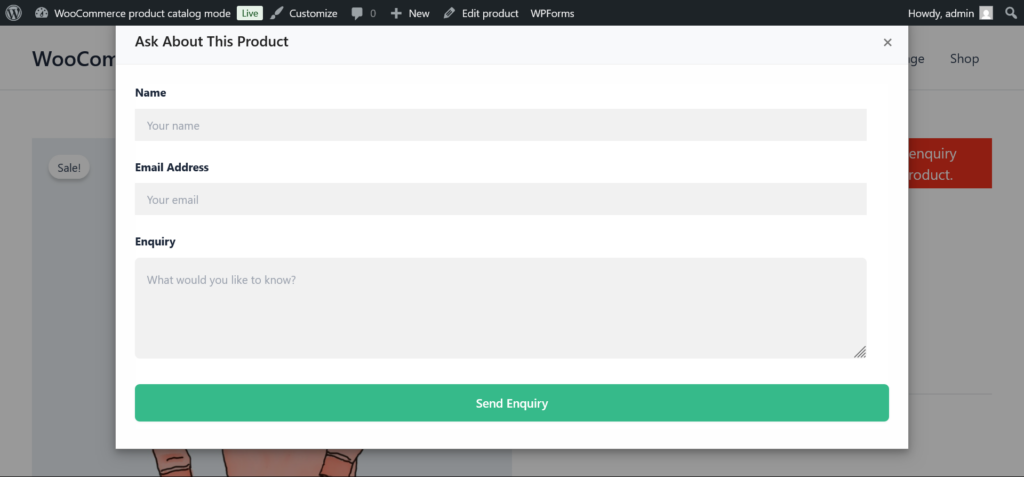
- Enable a built-in inquiry form.
- Integrate Contact Form 7
- Integrate WPForms
- Select which form to use
- Control enquiry button text and position.
Manage and reply to enquiries directly from your dashboard
Unlike basic catalog plugins, this plugin not only hides purchasing options but also helps you capture and manage customer enquiries effectively.
The built-in enquiry management system allows you to:
- Store all enquiries in the database
- View enquiries from the admin panel
- Mark enquiries as read/unread
- Search and filter enquiries
- Export enquiries as CSV
- Automatically delete old enquiries (GDPR-friendly)
Advanced exclusion options allow you to:
- Disable catalog mode for specific categories.
- Disable catalog mode for specific tags.
- Exclude individual products.
- Override global messages per product.
This gives you full flexibility over how and when products can be purchased.
The plugin can also be used to create a Request a Quote system for your store. By hiding the product price and Add to Cart button, you can display an enquiry button that allows customers to request pricing information directly from the product page. This is especially useful for B2B stores, wholesale businesses, or custom products where prices may vary depending on quantity, negotiation, or customer requirements. Customers can easily submit their inquiries using the built-in enquiry form or popular form plugins like WPForms or Contact Form 7, making it simple for store owners to manage quote requests efficiently.
Here we can add settings from two different places.
- Global Settings: This is a global option to set settings for all products.
- Individual Product Settings: This is an option to set settings for a specific product.
If we add settings from both global settings and individual product settings then the individual product settings will have the first priority and then global settings.
Plugin Details
| Current Version : | 2.1.5 |
| Latest Update : | 18/10/2026 |
| Active installations: | 300+ |
| WordPress Version : | 4.4 or higher |
| Tested up to : | 7.1 |
| PHP Version : | 7.4 or higher |
| Price : | $39 / Lifetime |
Donate
Would you like to support the advancement of this plugin?
Plugin Features
Free Features
Premium Features
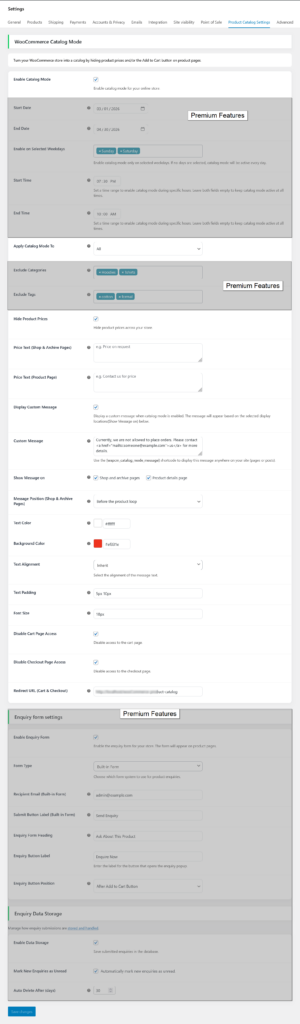
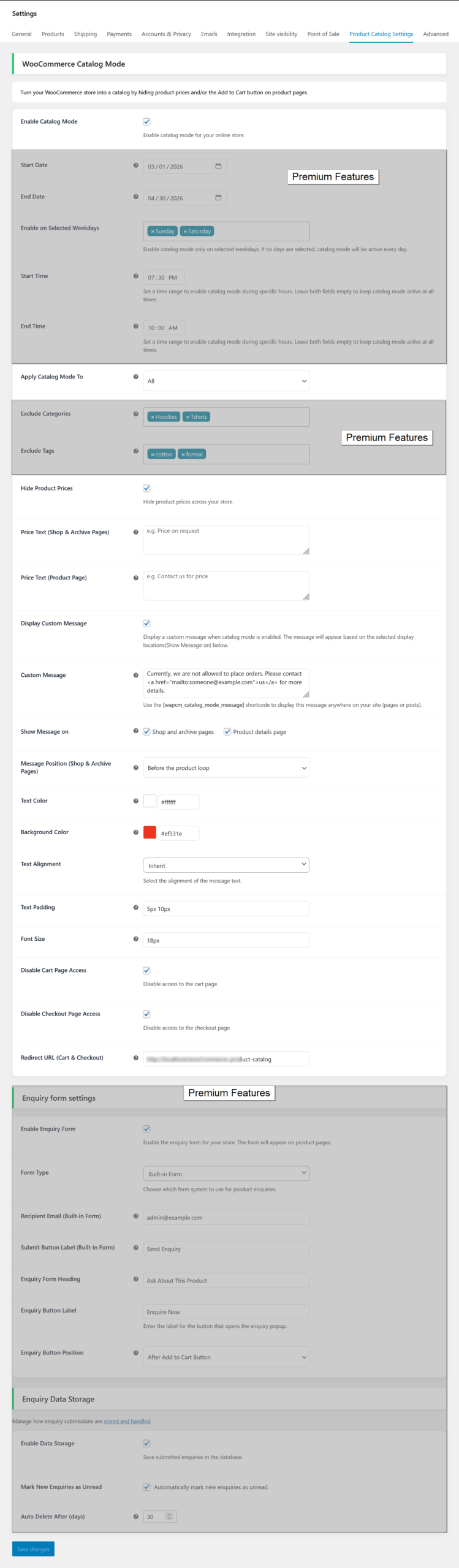
Product Catalog Mode for all users – global settings
- Select catalog mode for all user option ( required ).
- Activate catalog mode between defined start and end dates.
- Enable catalog mode only for selected weekdays.
- Activate catalog mode exclusively during the defined start and end times.
- Exclude by categories ( means you can disable catalog mode for all products in a category ).
- Exclude by tags ( means you can disable catalog mode for all products in a tag )
- Hide product price.
- Add a custom message that will show in the front end when catalog mode is enabled.
- A shortcode that allows you to display the custom message on pages and posts.
- Have options to change the custom message text color and background color, set text alignment, text padding and font size.
- Select the position where you want to show a custom message.
- Prevent access to the cart and checkout page.
- Enable powerful inquiry system.
- Inquiry management system (admin panel, filters, export, auto delete)
- Reply to inquiries directly from admin panel
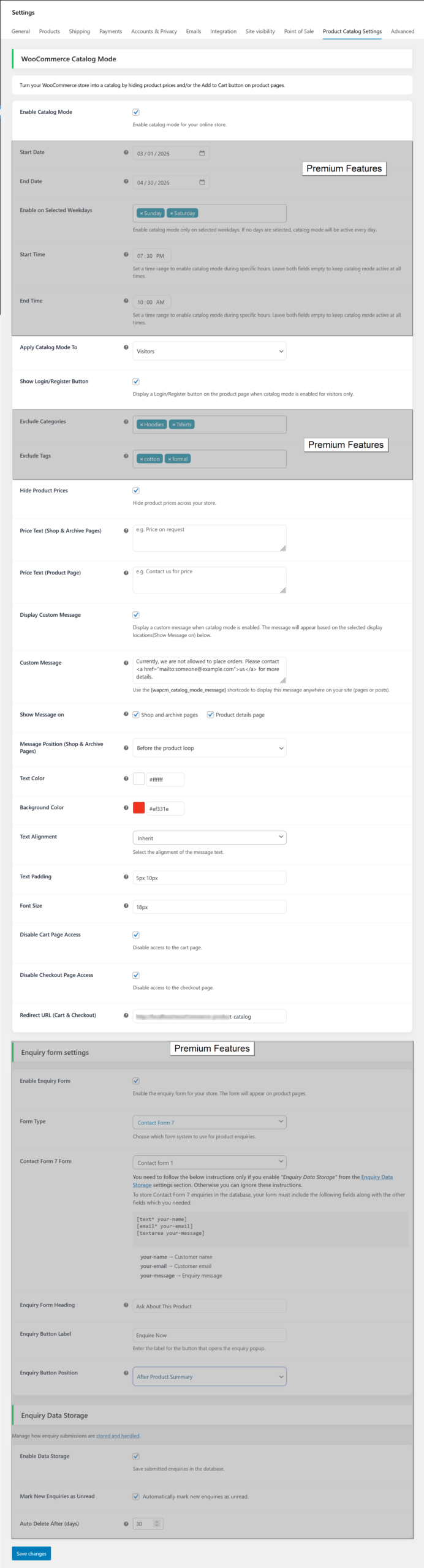
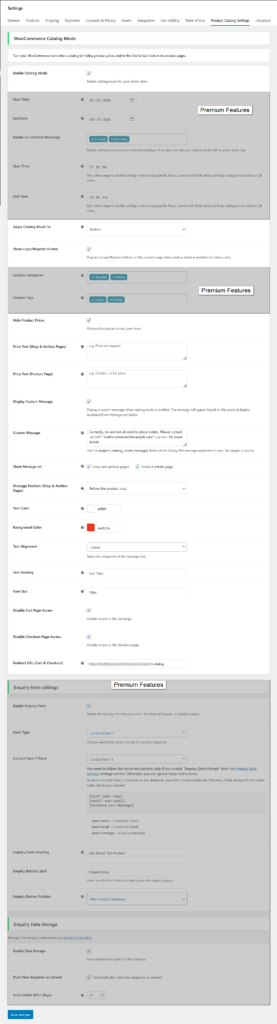
Product Catalog Mode for visitors – global settings
- Select catalog mode for visitors option ( required ).
- Activate catalog mode between defined start and end dates.
- Enable catalog mode only for selected weekdays.
- Activate catalog mode exclusively during the defined start and end times.
- Show the login/register button when catalog mode is enabled for the visitors.
- Exclude by categories ( means you can disable catalog mode for all products in a category ).
- Exclude by tags ( means you can disable catalog mode for all products in a tag )
- Hide product price.
- Add a custom message that will show in the front end when catalog mode is enabled.
- A shortcode that allows you to display the custom message on pages and posts.
- Add a custom message that will show in the front end when catalog mode is enabled.
- Have options to change the custom message text color and background color, set text alignment, text padding and font size.
- Prevent access to the cart and checkout page.
- Enable powerful inquiry system.
- Prevent access to the cart and checkout page.
- Enable powerful inquiry system.
- Inquiry management system (admin panel, filters, export, auto delete)
- Reply to inquiries directly from admin panel
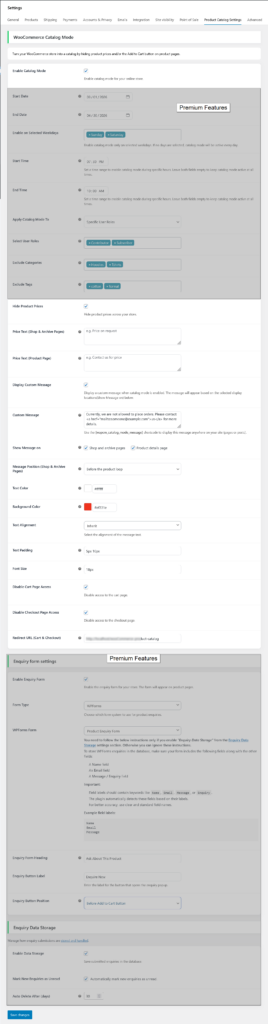
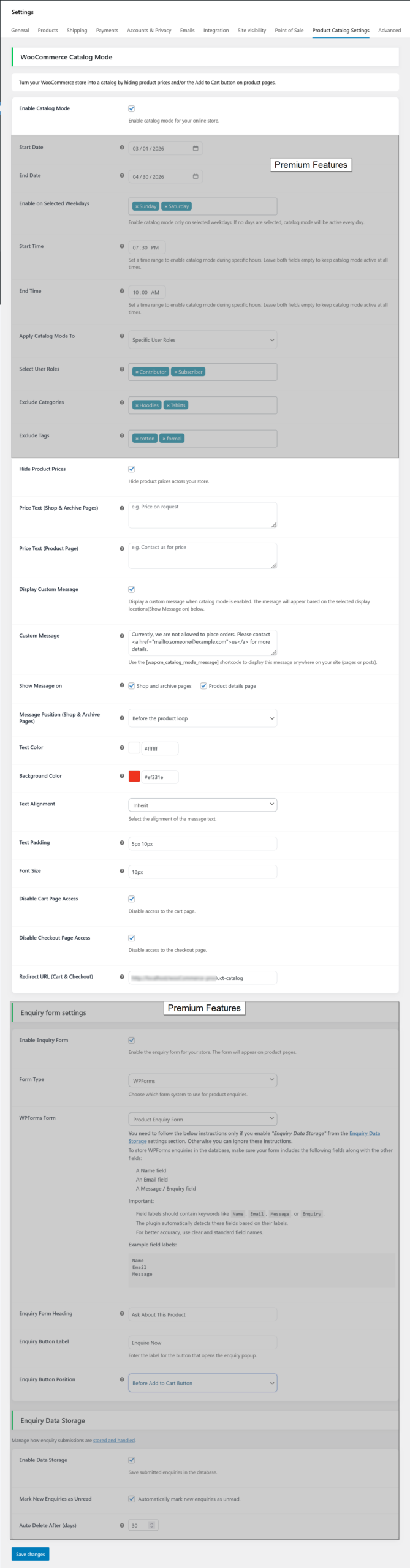
Product Catalog Mode for selected user roles – global settings
- Select catalog mode for specific user roles option ( required ).
- Activate catalog mode between defined start and end dates.
- Enable catalog mode only for selected weekdays.
- Activate catalog mode exclusively during the defined start and end times.
- Select specific user roles ( required ).
- Exclude by categories ( means you can disable catalog mode for all products in a category ).
- Exclude by tags ( means you can disable catalog mode for all products in a tag ).
- Hide product price.
- Add a custom message that will show in the front end when catalog mode is enabled.
- A shortcode that allows you to display the custom message on pages and posts.
- Have options to change the custom message text color and background color, set text alignment, text padding and font size.
- Prevent access to the cart and checkout page.
- Enable powerful inquiry system.
- Prevent access to the cart and checkout page.
- Enable powerful inquiry system.
- Inquiry management system (admin panel, filters, export, auto delete)
- Reply to inquiries directly from admin panel
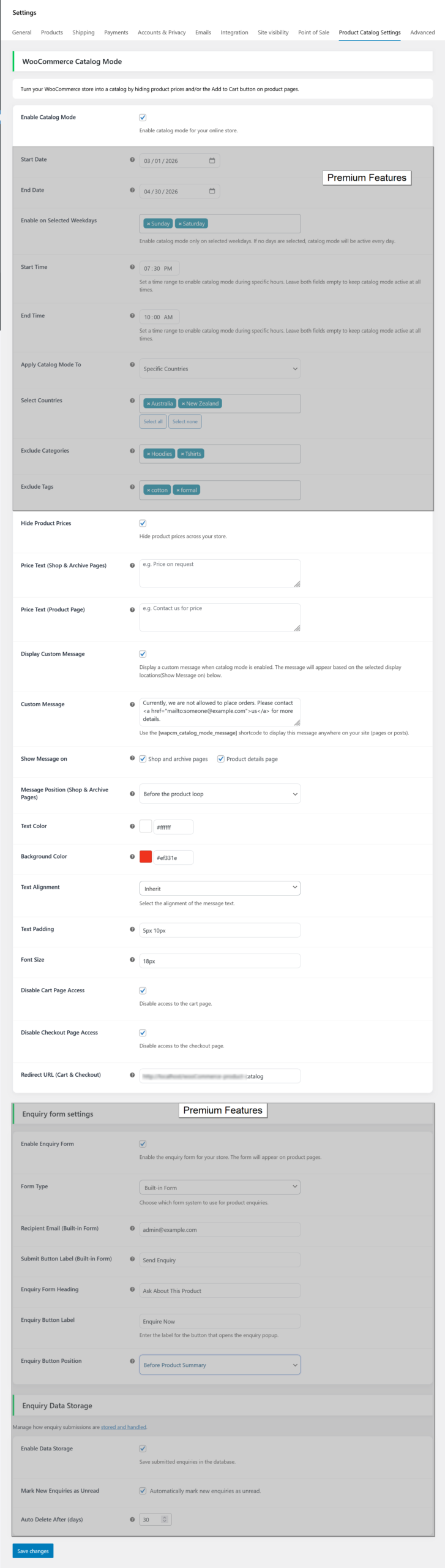
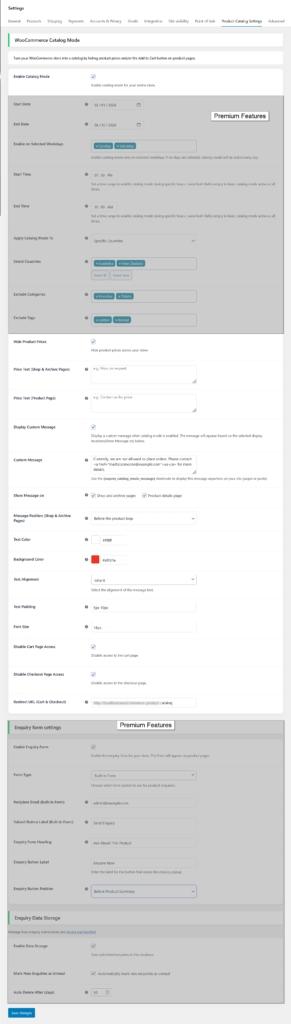
Product Catalog Mode for selected countries – global settings
- Select catalog mode for specific countries option ( required ).
- Activate catalog mode between defined start and end dates.
- Enable catalog mode only for selected weekdays.
- Activate catalog mode exclusively during the defined start and end times.
- Select specific countries ( required ).
- Exclude by categories ( means you can disable catalog mode for all products in a category ).
- Exclude by tags ( means you can disable catalog mode for all products in a tag ).
- Hide product price.
- Add a custom message that will show in the front end when catalog mode is enabled.
- A shortcode that allows you to display the custom message on pages and posts.
- Have options to change the custom message text color and background color, set text alignment, text padding and font size.
- Prevent access to the cart and checkout page.
- Enable powerful inquiry system.
- Prevent access to the cart and checkout page.
- Enable powerful inquiry system.
- Inquiry management system (admin panel, filters, export, auto delete)
- Reply to inquiries directly from admin panel
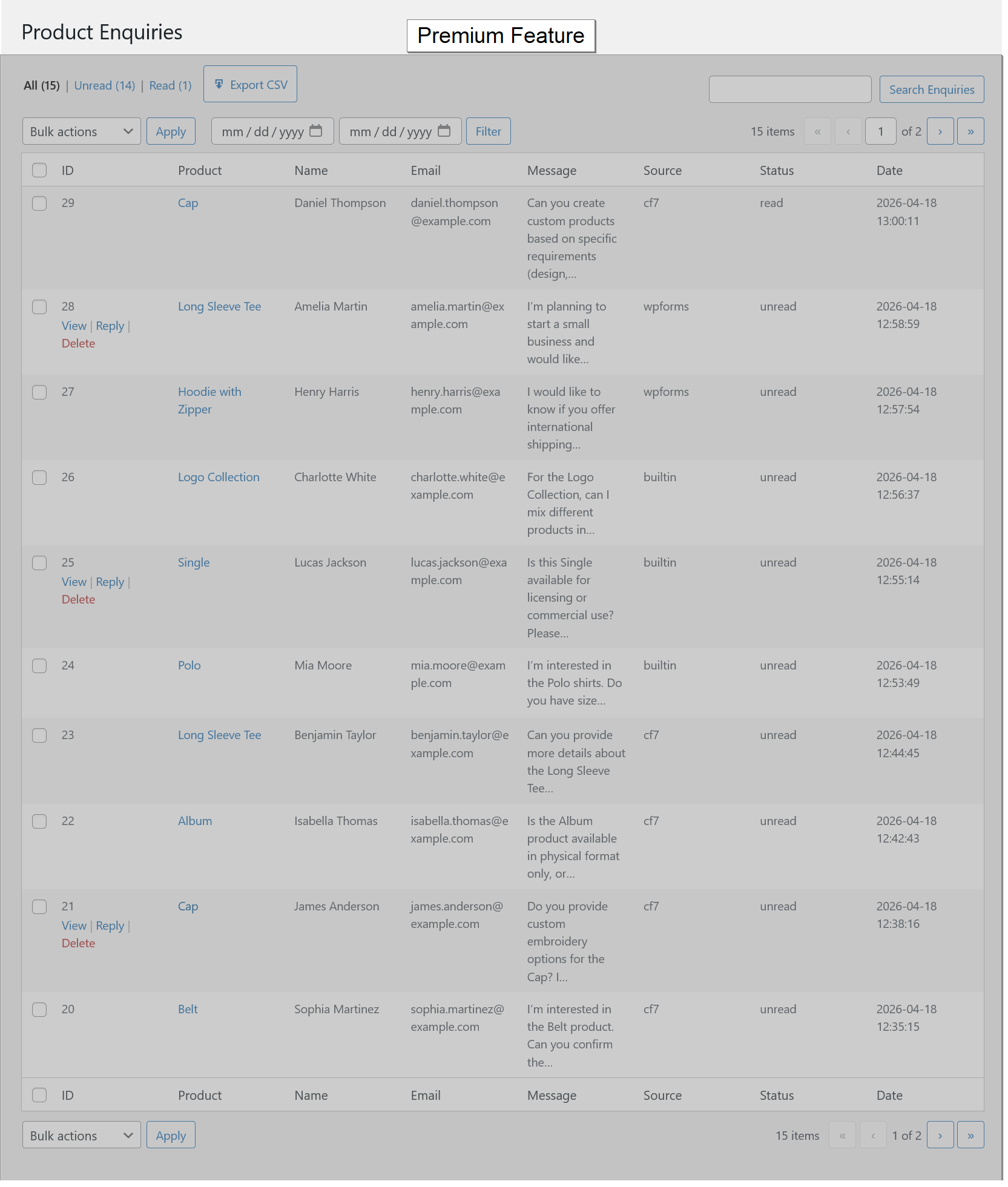
Product Enquiry List
- Store all enquiries in database
- View enquiries in admin panel
- Mark enquiries as read/unread
- Search and filter enquiries
- Delete enquiries individually or in bulk
- Export enquiries as CSV
- Auto delete old enquiries (GDPR-friendly)
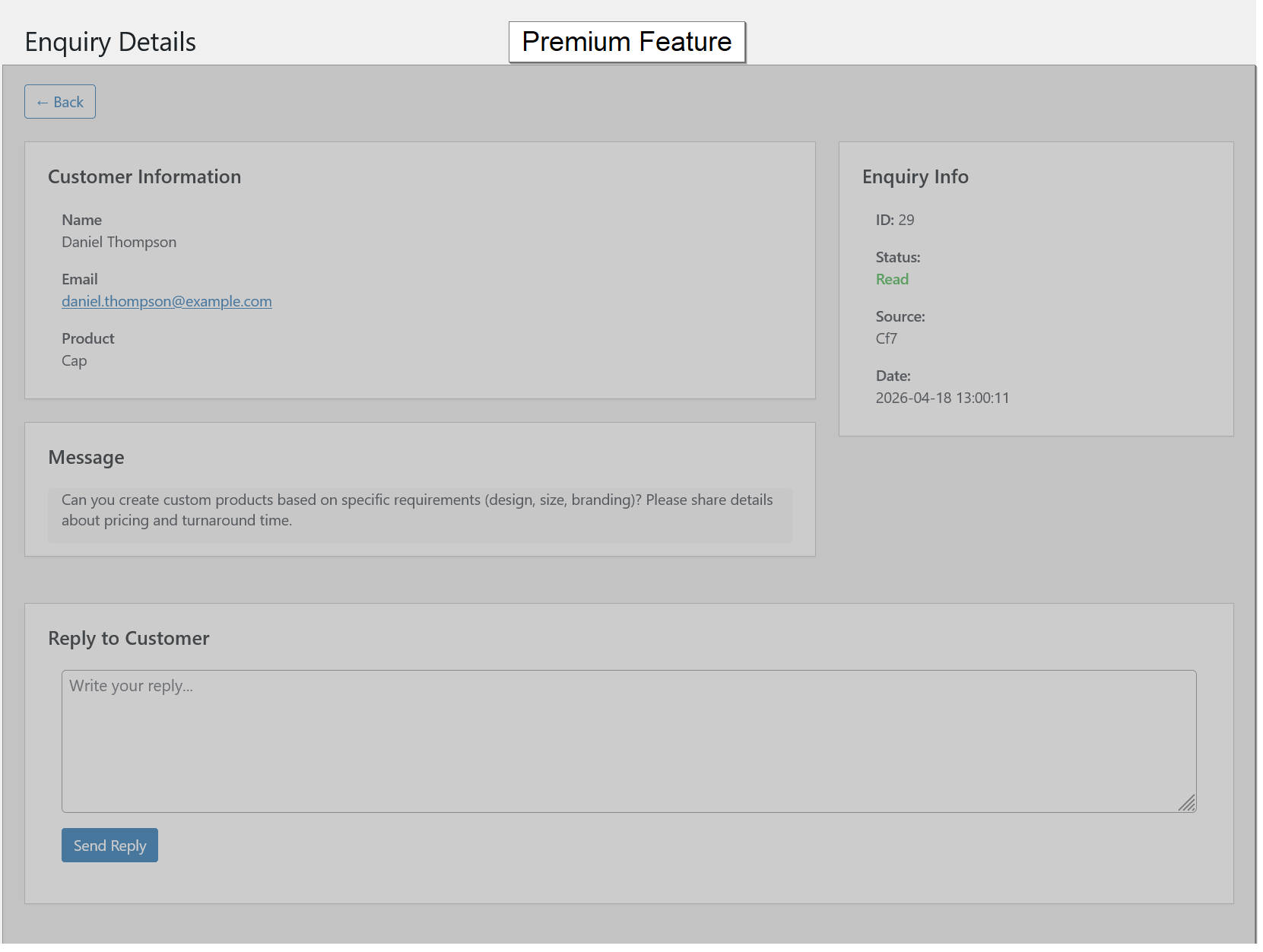
Product Enquiry Details
- Reply to customers directly from admin panel
- Send email replies to customers
- Simple and fast reply interface
Product Catalog Mode settings – Individual product settings
- Disable catalog mode for specific product.
- Disable inquiry form for specific product.
- Disable hide product price for specific product.
- Remove global message for specific product.
- Add own message for specific product.
- Add options to redirect products to third-party or affiliate sites.

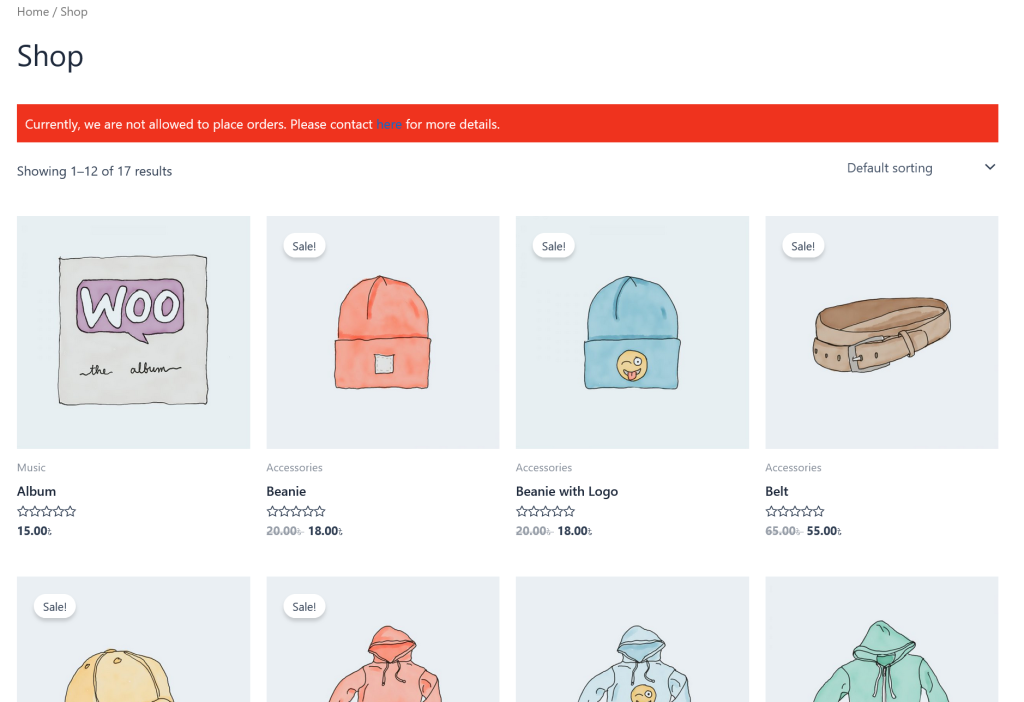
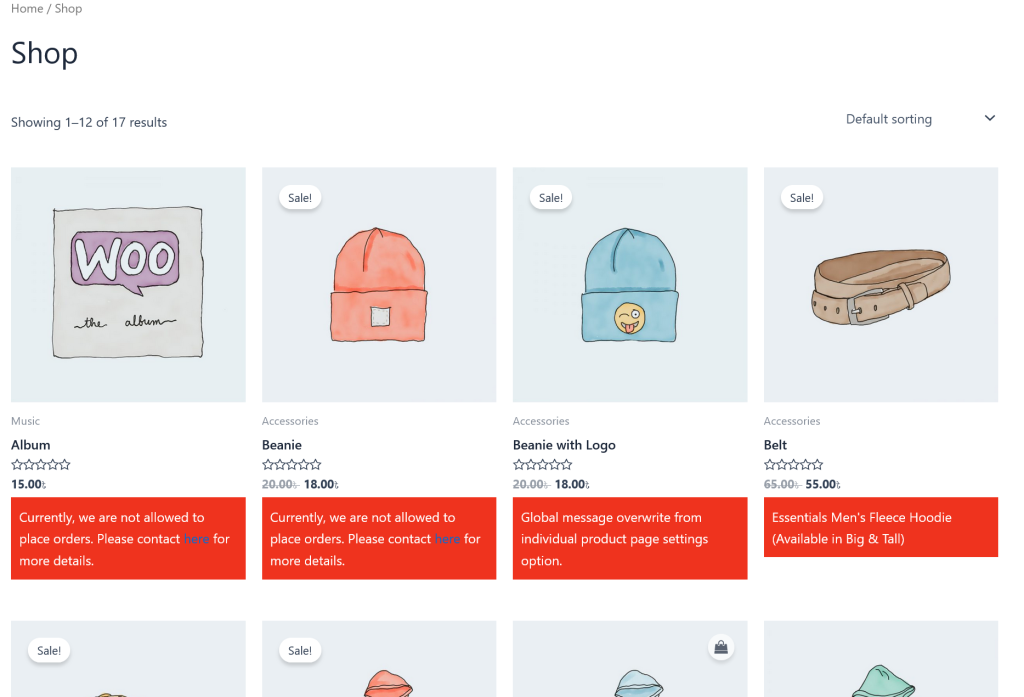
Product archive pages
- Enabled catalog mode by hiding Add to Cart button.
- Showing third-party or affiliate sites redirect button.
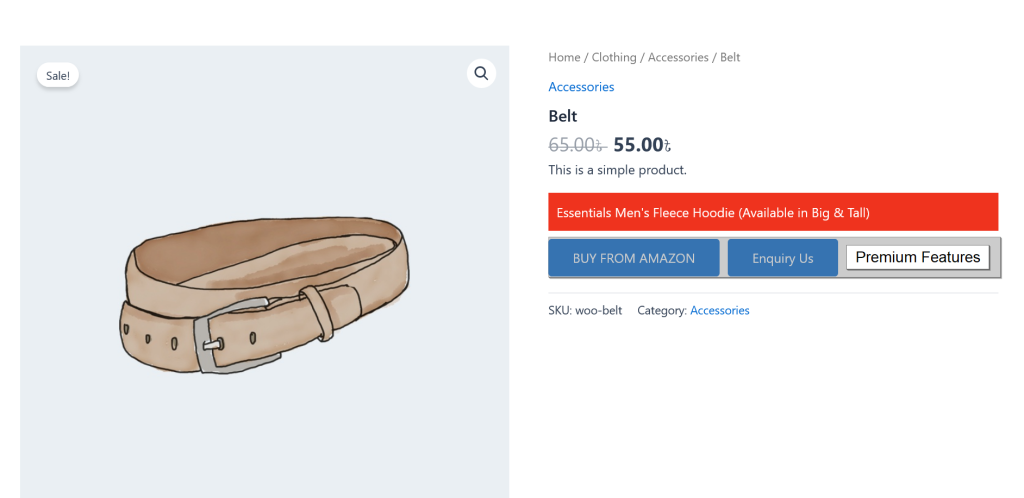
Product details page
- Showing custom message when catalog mode is enabled.
- Showing third-party or affiliate sites redirect button
- Showing Inquiry button.
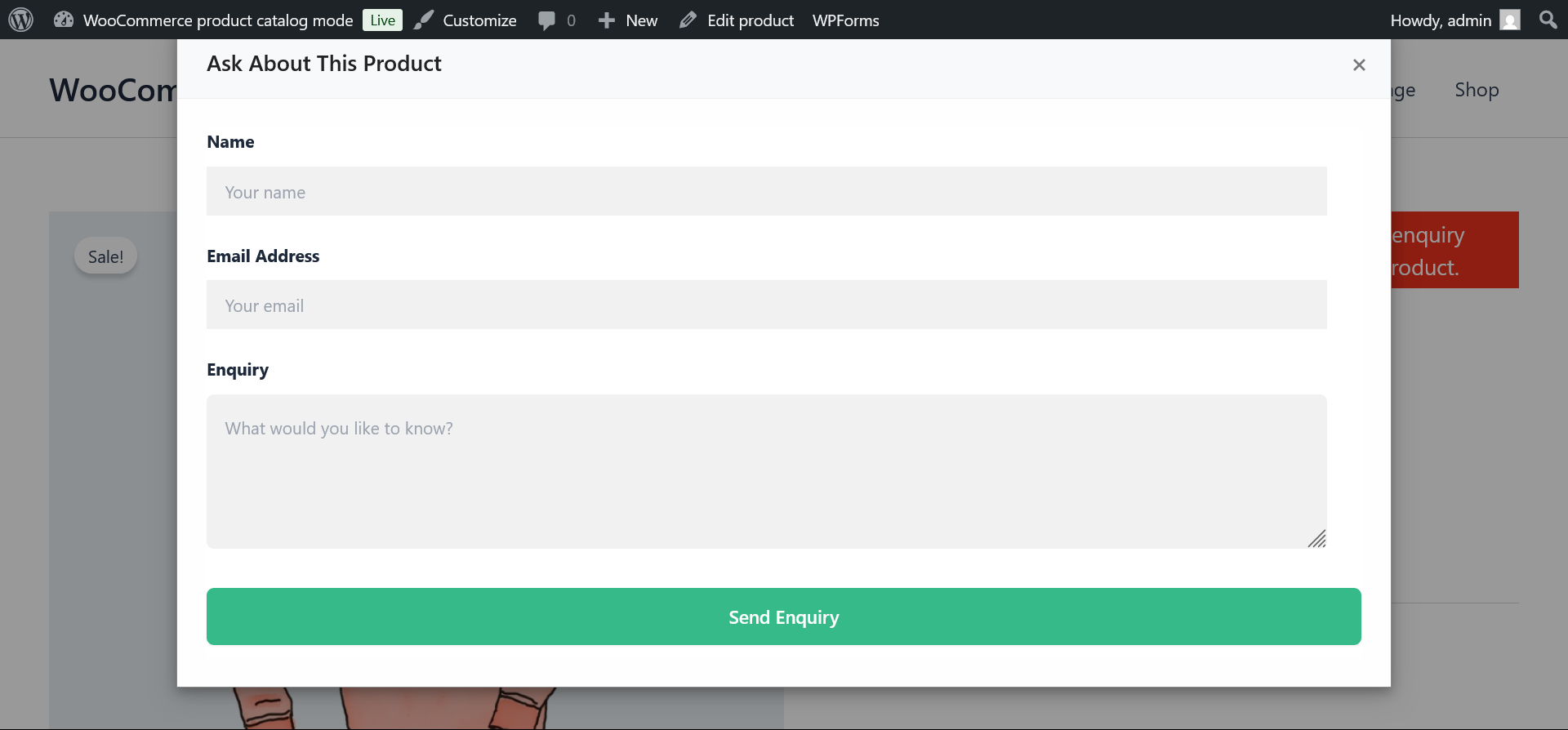
Product details page
- Showing Inquiry form.
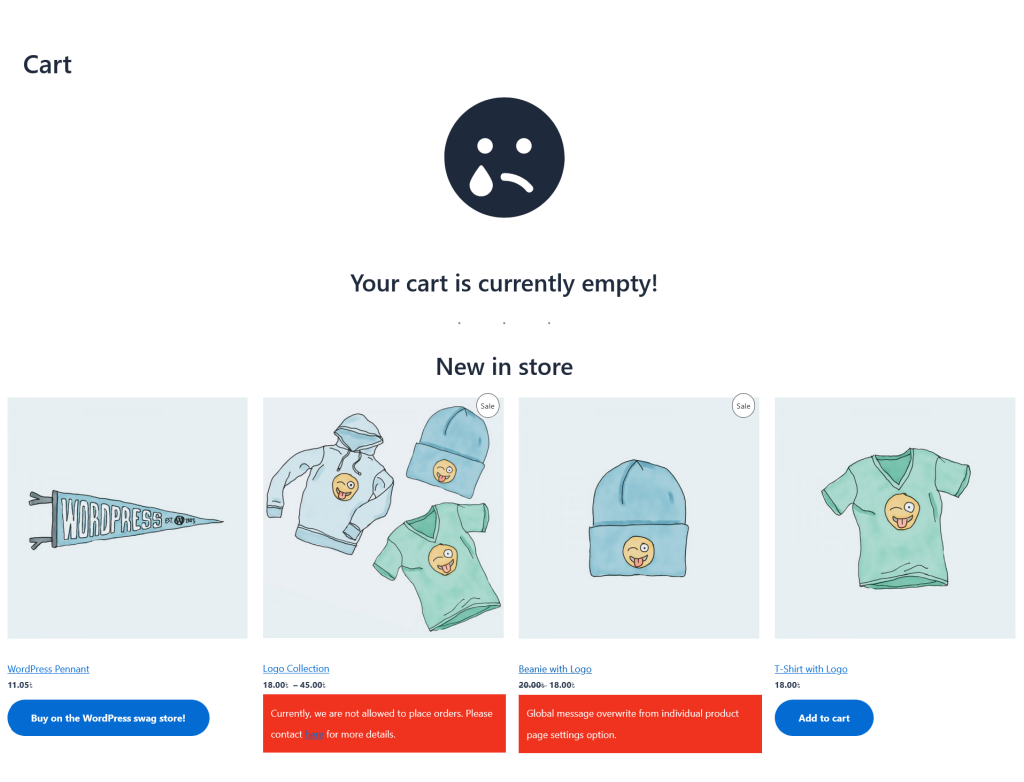
Cart page products block
- Enabled catalog mode for products by hiding Add to Cart button.
Screenshots