Running a WooCommerce store means constantly balancing customer experience with backend operations. Sometimes, selling products immediately isn’t ideal—or even possible. There are situations where showing your product catalog without enabling purchases becomes not only helpful, but essential.
Catalog Mode (or temporarily disabling sales) allows WooCommerce store owners to keep their site active, visible, and informative while temporarily pausing the buying process. This approach ensures customers can still browse and learn about products without being able to place orders until the store is ready.
In this blog post, we explore why and when store owners benefit from using Catalog Mode or disabling the Add to Cart/Checkout process.
Why Store Owners Need Catalog-Only Mode
1. To Showcase Products Without Immediate Selling
Sometimes a store wants to highlight products, build interest, or present a clean product display—without allowing customers to buy yet. This is common for:
- New product launches or sneak previews
- B2B stores that require manual quotations
- Stores that need customers to contact sales teams instead of ordering online
- Retailers offering custom or made-to-order items
Keeping the products visible without a purchase option ensures transparency while allowing the store owner to maintain full control over the sales process.
2. To Temporarily Close Sales During Holidays or Store Breaks
No business operates nonstop. During holidays, vacations, or short breaks, fulfilling orders may not be possible. Instead of closing the website entirely, store owners can:
- Keep the catalog visible
- Inform customers of temporary unavailability
- Avoid receiving orders they can’t fulfill
Catalog Mode helps maintain customer trust and avoids frustration while keeping the storefront active.
3. For Maintenance, Inventory Updates, or Backend Changes
When performing backend tasks like:
- Updating prices
- Changing product descriptions
- Fixing stock issues
- Migrating systems
- Testing new checkout or shipping methods
It is safer to temporarily disable purchases. Without Catalog Mode, customers might purchase outdated or incorrect products.
Catalog Mode ensures the store can continue showcasing its products while the shop owner fixes important issues behind the scenes.
4. Preparing for Big Sales or Seasonal Promotions
Before events like:
- Black Friday
- Holiday sales
- Clearance events
- New collection launches
Store owners often want to:
- Hide the Add to Cart button
- Prevent early purchases
- Prepare pricing and promotional assets
- Build anticipation
Catalog Mode allows customers to browse items and plan their purchases, while the store owner sets everything up for a flawless sale.
5. Running a Wholesale or Quote-Based Business
Some stores don’t sell products directly online. Instead, they rely on:
- Quote requests
- Inquiry forms
- Custom order negotiations
Catalog Mode removes checkout functionality and replaces it with contact options, making the user experience smooth and aligned with business needs.
When Store Owners Use Catalog Mode
Here are the most common situations:
✔ When the store owner is away (vacation or holiday)
✔ When the store is restructuring or updating products
✔ When preparing promotional pricing or new stock
✔ When the checkout system is being improved or repaired
✔ When transitioning to a new payment provider
✔ When offering products for viewing only (showroom or portfolio style)
✔ When selling offline but displaying products online
✔ When targeting wholesalers who must request quotes
In all these cases, Catalog Mode ensures the site stays active and professional—without processing orders the store cannot fulfill.
How Store Owners Benefit
✔ Prevents accidental orders
No unexpected purchases arrive during downtime.
✔ Keeps the store visible for SEO
The site remains indexable and accessible.
✔ Improves customer experience
Visitors can still browse products instead of seeing a “closed” message.
✔ Reduces frustration
Prevents customers from trying to buy unavailable or out-of-stock items.
✔ Helps during high-pressure sales seasons
Store owners can prepare quietly and calmly.
✔ Creates a professional appearance
The shop stays polished even when sales are temporarily paused.
The Product Catalog Mode for WooCommerce plugin can help you achieve catalog-only mode (or temporarily disable sales) in the following ways:
How This Plugin Helps You Achieve Catalog-Only or Suspended Sales
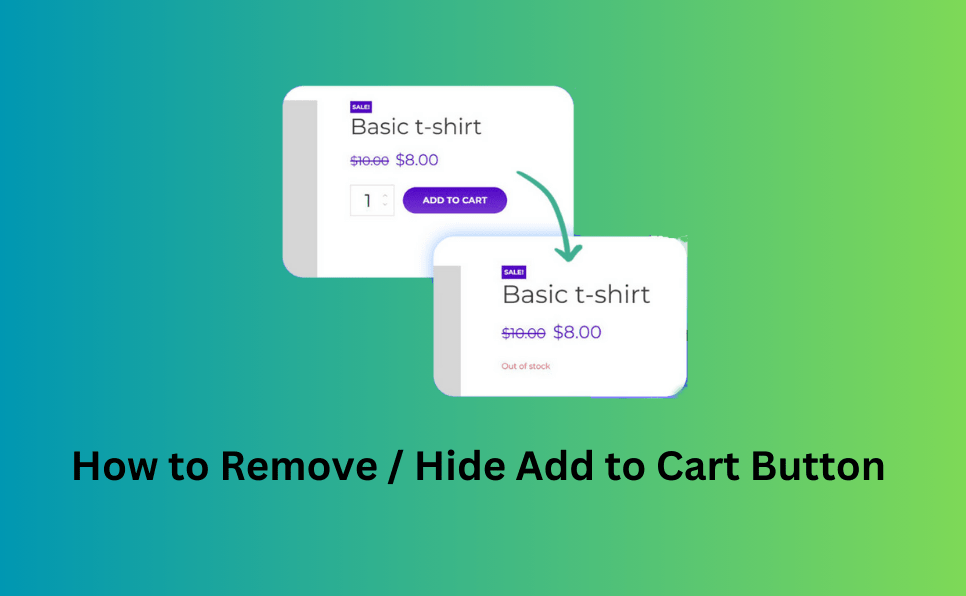
- Disable Buying While Still Showing Products
The plugin hides the “Add to Cart” button and prevents access to the cart and checkout pages. This means customers can browse product listings, view details, and explore your catalog, but they cannot place orders while catalog mode is on. - Custom Messaging
You can display a custom message on shop pages, category archives, and individual product pages. This allows you to inform visitors why orders are temporarily disabled—such as “We’re currently updating our inventory,” “Holiday break – sales resume soon,” or “Request a quote.” - Role-Based or Visitor-Based Control (Premium Feature)
With the plugin’s paid version, you can show catalog mode only to certain types of users. For example, regular visitors might only see a catalog, but logged-in wholesale clients can still place orders. This gives you flexible control over who can buy and who just browses. - Scheduled Activation (Premium Feature)
The plugin lets you schedule catalog mode for specific dates or times. You might enable it during a holiday period, a sale preparation phase, or a maintenance window — and then automatically turn sales back on when you’re ready. - Geographic Control (Premium Feature)
You can restrict who sees catalog mode based on visitor location (country). This is useful if you decide to temporarily suspend sales in one region while keeping sales open elsewhere. - Product-Level or Category-Level Exceptions (Premium Feature)
The plugin allows you to exclude certain products, categories, or tags from catalog mode. For instance, you might keep your bestsellers “live” for purchase but set seasonal or new collection items to catalog-only. - Inquiry / Quote Forms (Premium Feature)
Instead of selling directly, visitors can submit inquiries or quote requests for products. This is ideal for B2B, custom orders, or stores that don’t want to commit to fixed online pricing yet. - Redirect Cart & Checkout
When checkout is disabled, you can redirect visitors who try to access cart or checkout to a custom URL (like a “Coming Soon” or “Catalog Only” landing page), improving UX and reducing confusion. - Hide Price
If you don’t want to show the price while displaying products, the plugin lets you hide product pricing. That’s helpful when you want to promote product range without disclosing final costs until after inquiry or negotiation.
Real-World Scenarios Using This Plugin
- Holiday / Vacation Shutdown: During store breaks, turn on catalog mode so customers can continue browsing but not purchase.
- Pre-Launch or Restock: Display new collections or restocked items in your catalog while finalizing stock details or pricing behind the scenes.
- Wholesale Showroom: For a B2B shop, make the catalog visible but force customers to submit inquiry forms instead of ordering online.
- Regional Sales Control: Use country-based restrictions so some markets can still buy, while others see catalog-only mode.
- Scheduled Promotions: Automatically enable catalog mode when preparing for big sales events, then disable it when the sale begins.
Benefits for Store Owners
- Maintain an active storefront even when sales are paused.
- Keep SEO visibility by showing product catalog without removing items.
- Generate inquiries or leads instead of losing potential buyers.
- Prevent order errors during maintenance or stock updates.
- Provide a professional UX by managing cart and checkout availability.
Plugins to Enhance Your WooCommerce Store
Carefully selected tools to help you customize, manage, and optimize your WooCommerce experience.
Woo Parent Category Selector
- Automatically assign parent categories when child categories are selected
- Prevent accidental removal of required parent categories
- Automatically repairs missing parent category assignments during product save
- Bulk repair existing WooCommerce product category structures
- Keeps product category structures organized and consistent
Product Catalog Mode For WooCommerce
- Turn your WooCommerce store into catalog mode instantly
- Hide Add to Cart buttons and product prices conditionally
- Apply rules by user role, country, or scheduled time periods
- Display custom messages and inquiry options for products
- Control visibility settings globally or per product

Remove Add to Cart Button for WooCommerce
- Remove Add to Cart buttons from shop and product pages
- Hide buttons conditionally for selected products or categories
- Replace Add to Cart with custom text or messages
- Control button visibility by user role and product type
- Lightweight settings interface with easy customization

Remove Product Content for WooCommerce
- Hide product title, image, price, rating, and descriptions
- Remove tabs, meta information, SKU, tags, and related products
- Control visibility separately for shop and single product pages
- Customize WooCommerce layouts without coding
- Enable or disable content elements with simple settings

Really Simple XML and HTML Sitemap
- Generate both XML and HTML sitemaps automatically
- Display sitemaps anywhere using ShortCode support
- Include pages, posts, and custom post types
- Exclude selected pages or posts easily
- Supports WPML and Polylang multilingual plugins