
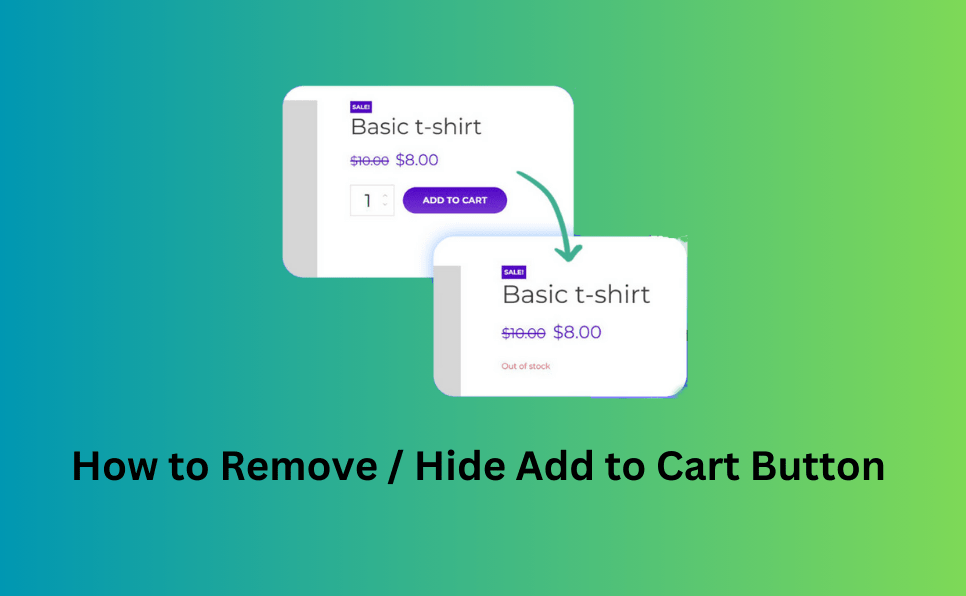
For older versions of WordPress and WooCommerce, we can use the woocommerce_before_shop_loop_item action hook to remove or hide the Add to Cart button from all products, although this may not be suitable in every case.
add_action( 'woocommerce_before_shop_loop_item', 'ratcw_remove_archive_add_to_cart_button' );
function ratcw_remove_archive_add_to_cart_button(){
	remove_action( 'woocommerce_after_shop_loop_item', 'woocommerce_template_loop_add_to_cart', 10 );
}
For the latest versions of WordPress and WooCommerce (Gutenberg block), we can use the filter function woocommerce_loop_add_to_cart_link to remove or hide the Add to Cart button for all products on the shop and archive pages, as shown below.
add_filter( 'woocommerce_loop_add_to_cart_link', 'ratcw_woocommerce_loop_add_to_cart_link', 10, 3 );
function ratcw_woocommerce_loop_add_to_cart_link($output, $product, $args){
    $output = '';
    return $output;
}
The above functions will remove or hide the Add to Cart button for all products, which may not be ideal. Most store owners prefer to remove or hide the button for specific products. To achieve this, you need to add a custom meta field to the products. This can be accomplished using a plugin (such as ACF or similar) or with custom code. I’ll demonstrate the custom code approach below:
add_action( 'woocommerce_product_options_general_product_data', 'ratcw_woocommerce_product_custom_fields' );
function ratcw_woocommerce_product_custom_fields () {
	global $woocommerce, $post;
	echo '<div class=" product_custom_field ">';
		woocommerce_wp_checkbox( array(
			'id'      => 'ratcw_hide_add_to_cart',
			'value'   => esc_attr( get_post_meta( get_the_ID(), 'ratcw_hide_add_to_cart', true ) ),
			'label'   => esc_html__( 'Hide/Remove add to cart :', 'text-domain' ),
			'desc_tip' => true,
			'description' => esc_attr__( 'Hide/Remove add to cart in frontend', 'text-domain' ),
		) );
	echo '</div>';
}
The add/edit product screen interface will look like the below screenshot:

To remove or hide the Add to Cart button from the shop, category, and tag pages, add the following code:
For older versions of WordPress and WooCommerce:
add_action( 'woocommerce_before_shop_loop_item', 'ratcw_remove_archive_add_to_cart_button' );
function ratcw_remove_archive_add_to_cart_button(){
	global  $product ;
    $product_id = $product->get_id();
	$ratcw_hide_add_to_cart = get_post_meta( $product_id, 'ratcw_hide_add_to_cart', true );
	if ( isset( $ratcw_hide_add_to_cart ) && $ratcw_hide_add_to_cart === 'yes' ) {
		remove_action( 'woocommerce_after_shop_loop_item', 'woocommerce_template_loop_add_to_cart', 10 );
	}else{
		add_action( 'woocommerce_after_shop_loop_item', 'woocommerce_template_loop_add_to_cart', 10 );
	}
}
For the latest versions of WordPress and WooCommerce (Gutenberg block):
add_filter( 'woocommerce_loop_add_to_cart_link', 'ratcw_woocommerce_loop_add_to_cart_link', 10, 3 );
function ratcw_woocommerce_loop_add_to_cart_link($output, $product, $args){
    $product_id = $product->get_id();
    if ( $product_id ) {
        $ratcw_hide_add_to_cart = get_post_meta( $product_id, 'ratcw_hide_add_to_cart', true );
	if ( isset( $ratcw_hide_add_to_cart ) && $ratcw_hide_add_to_cart === 'yes' ) {
            $output = '';
        }
    }
    return $output;
}
To remove or hide the Add to Cart button from product detail pages, add the following code (for older versions of WordPress and WooCommerce):
add_action( 'woocommerce_single_product_summary', 'ratcw_remove_add_to_cart_button_from_single_product' );
function ratcw_remove_add_to_cart_button_from_single_product(){
	global  $product ;
    $product_id = $product->get_id();
	$ratcw_hide_add_to_cart = get_post_meta( $product_id, 'ratcw_hide_add_to_cart', true );
	if ( isset( $ratcw_hide_add_to_cart ) && $ratcw_hide_add_to_cart === 'yes' ) {
		remove_action( 'woocommerce_single_product_summary', 'woocommerce_template_single_add_to_cart', 30 );
	}
}
To remove or hide the Add to Cart button from product detail pages, add the following code (for the latest versions of WordPress and WooCommerce with Gutenberg block):
add_action( 'woocommerce_simple_add_to_cart', 'ratcw_remove_add_to_cart_button_from_single_product', 10 );
add_action( 'woocommerce_variable_add_to_cart', 'ratcw_remove_add_to_cart_button_from_single_product', 10 );
add_action( 'woocommerce_grouped_add_to_cart', 'ratcw_remove_add_to_cart_button_from_single_product', 10 );
add_action( 'woocommerce_external_add_to_cart', 'ratcw_remove_add_to_cart_button_from_single_product', 10 );
function ratcw_remove_add_to_cart_button_from_single_product(){
	global  $product ;
        $product_id = $product->get_id();
        $product_get_type = $product->get_type();
	$ratcw_hide_add_to_cart = get_post_meta( $product_id, 'ratcw_hide_add_to_cart', true );
	if ( isset( $ratcw_hide_add_to_cart ) && $ratcw_hide_add_to_cart === 'yes' ) {
		remove_action( 'woocommerce_'.$product_get_type.'_add_to_cart', 'woocommerce_'.$product_get_type.'_add_to_cart', 30 );
	}
}
Remove or Hide the Add to Cart Button Using a Plugin:
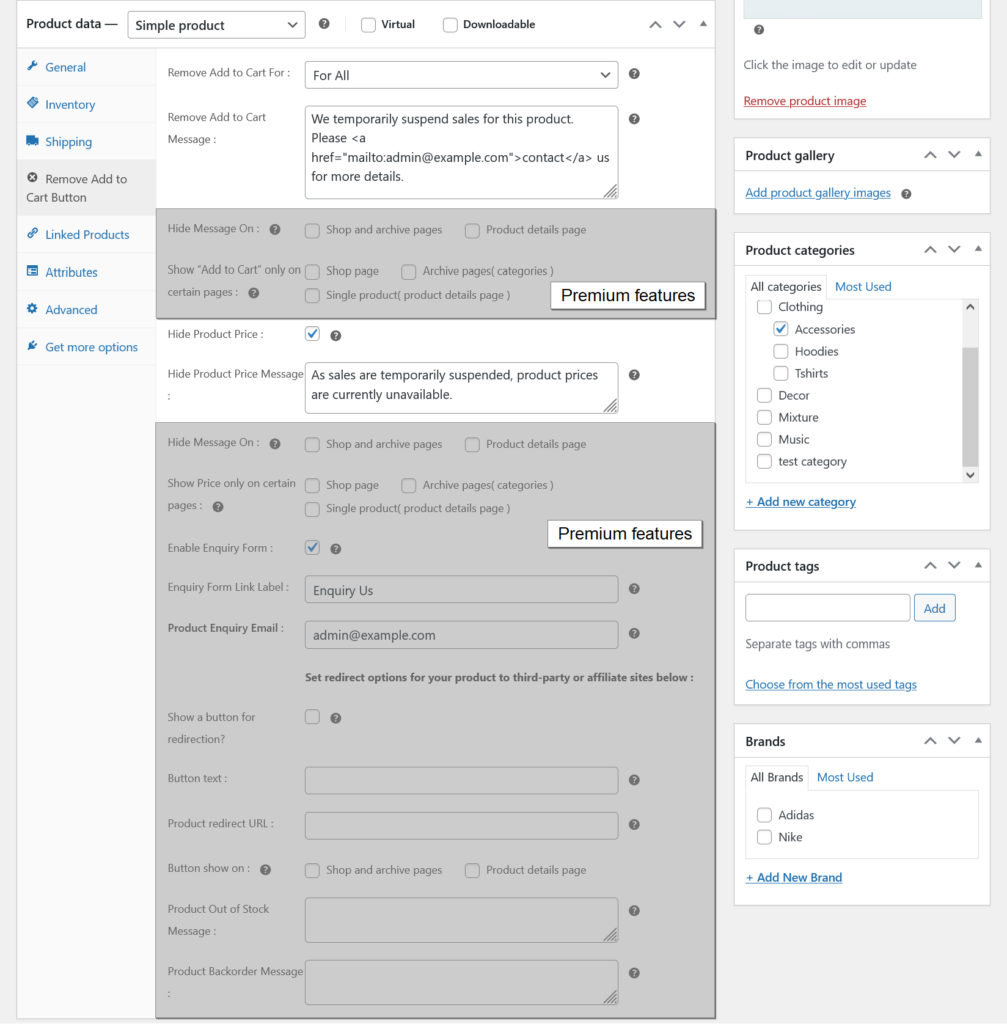
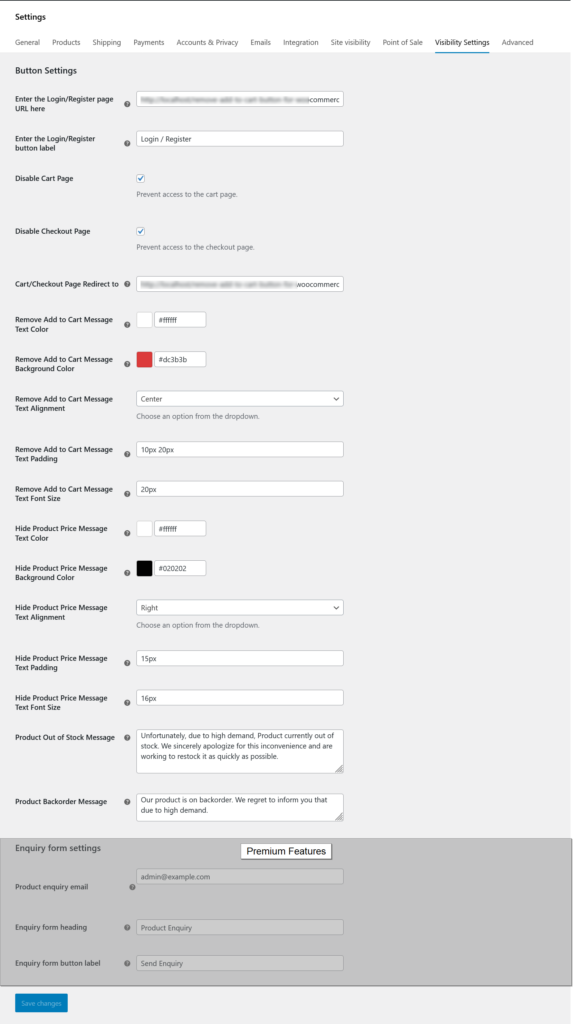
If you want to hide or remove the product Add to Cart button from the product list page or product details page using any WordPress plugin, please first think about the plugin name Remove Add to Cart Button for WooCommerce.Free features
- Remove the Add to Cart button for all users.
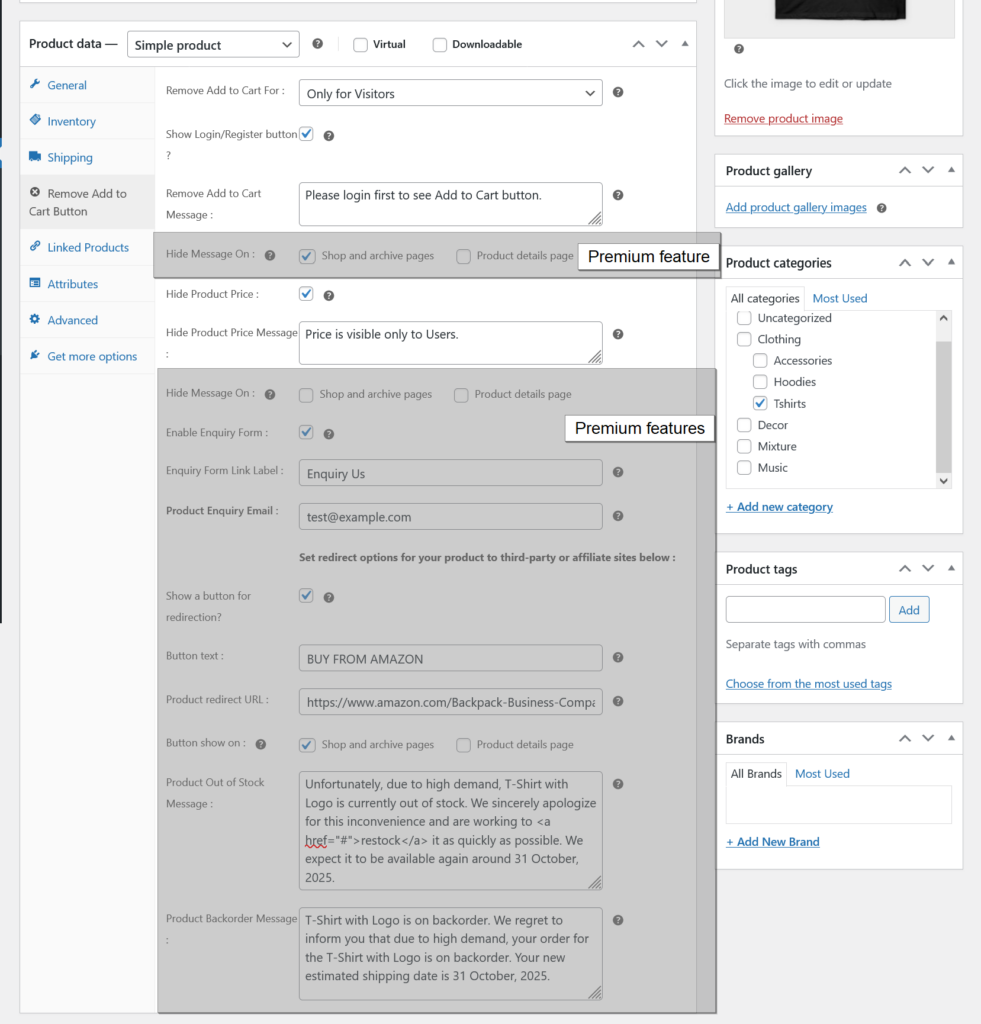
- Remove the Add to Cart button for visitors only.
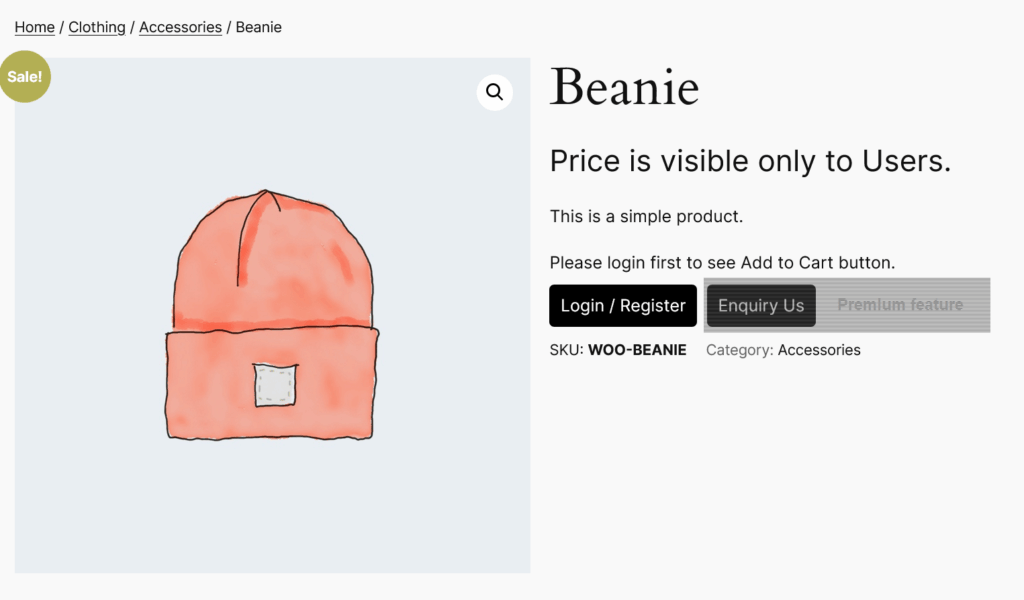
- Show a login/register button when “Add to Cart” is hidden for visitors.
- Set a custom login/register page URL.
- Customize the login/register button label.
- Display a custom message (text or HTML) when “Add to Cart” is hidden.
- Hide product prices.
- Display a custom message (text or HTML) when the product price is hidden.
- Prevent access to the cart and checkout pages.
- Set a redirect URL for the cart and checkout pages.
- Customize the text and background color, set text alignment, padding and font size for custom messages.
- Change the default Out of Stock and Back-order messages.
- Easy to use.
- Translation ready.
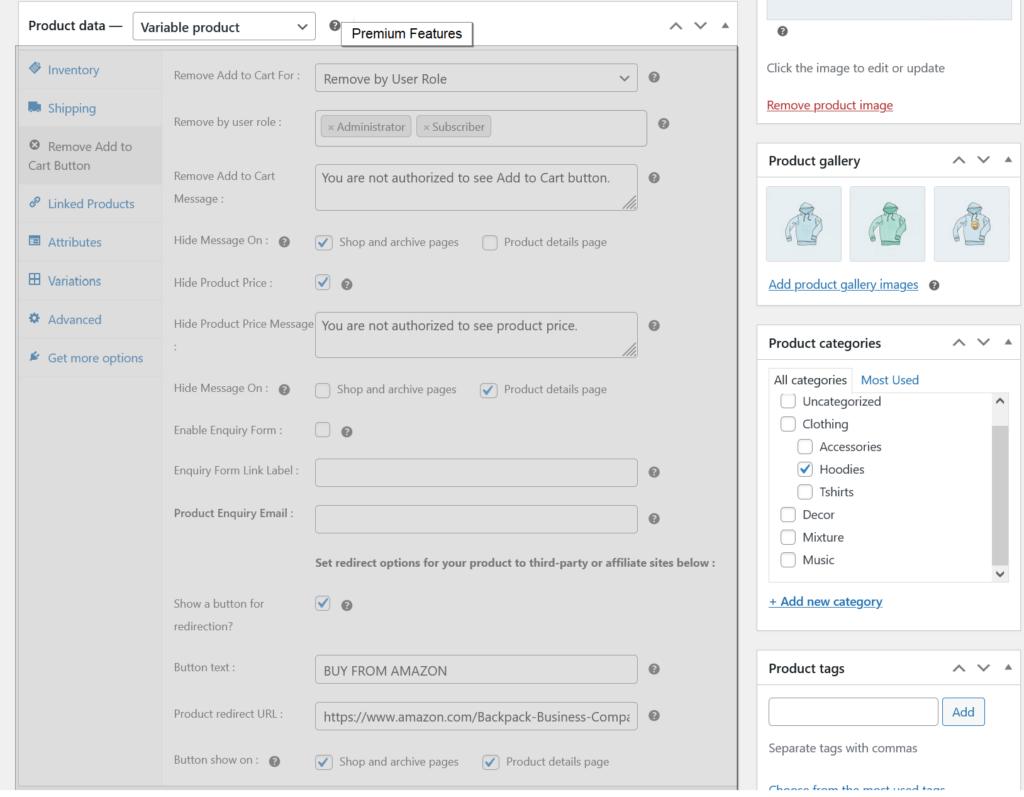
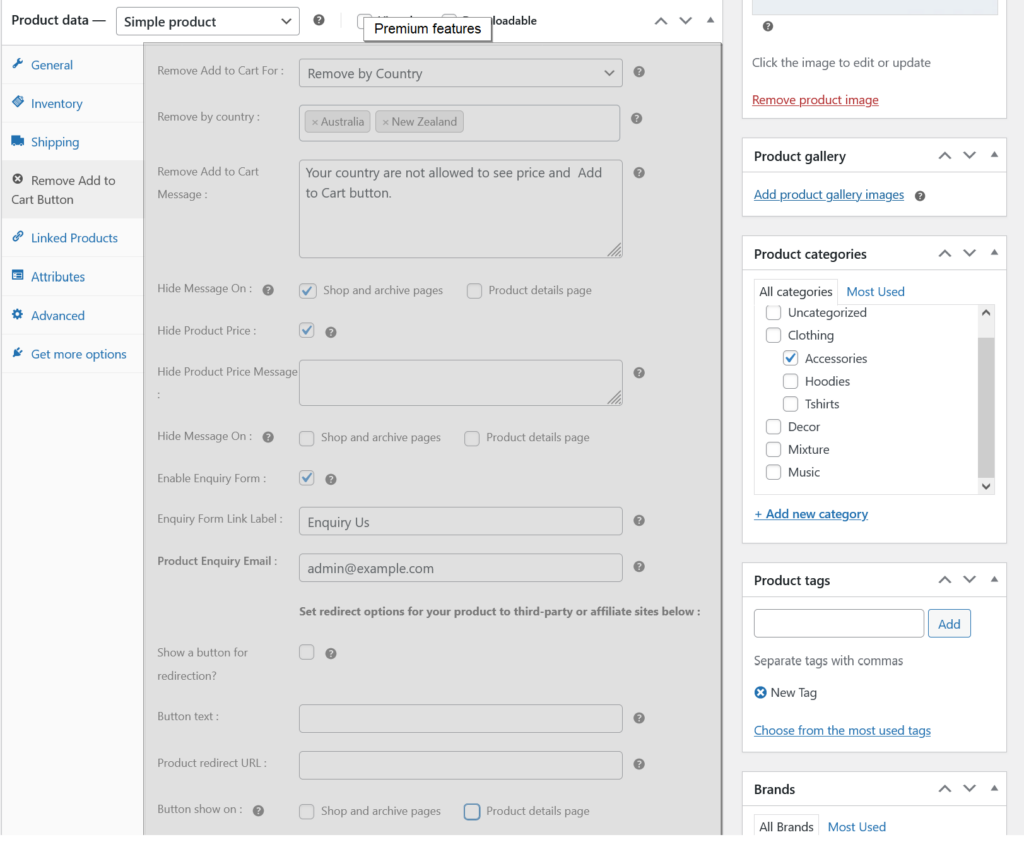
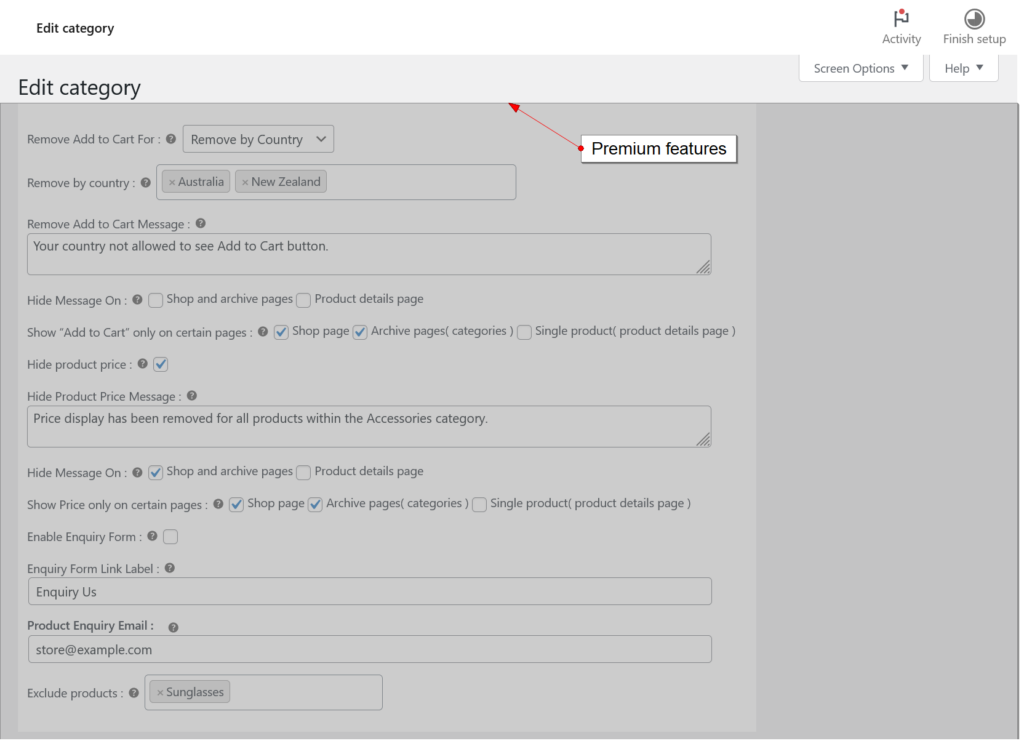
Premium features
- All free features
- Remove “Add to Cart” button based on user roles.
- Remove “Add to Cart” button based on country.
- Set category-wise conditions for removing the “Add to Cart” button.
- Exclude products from the “Add to Cart” and price removal rules within a category.
- Product inquiry form on product detail pages.
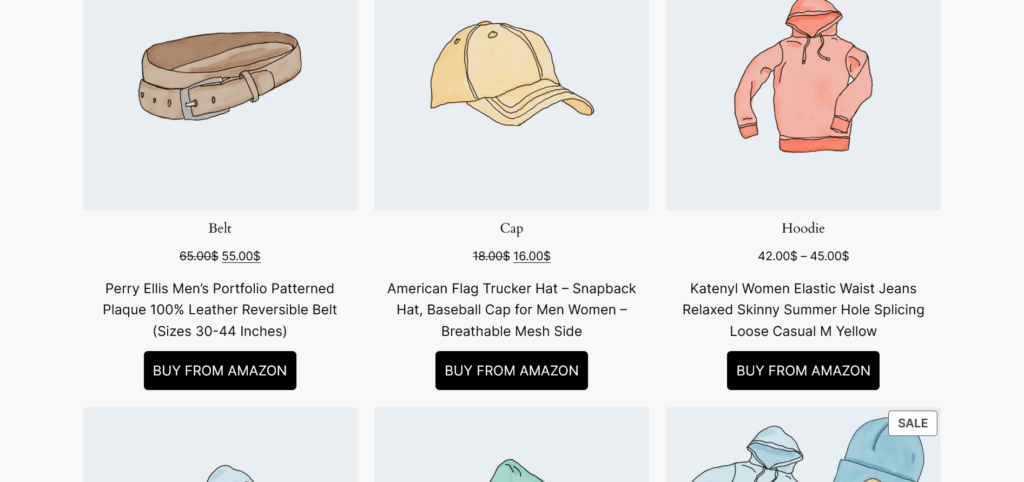
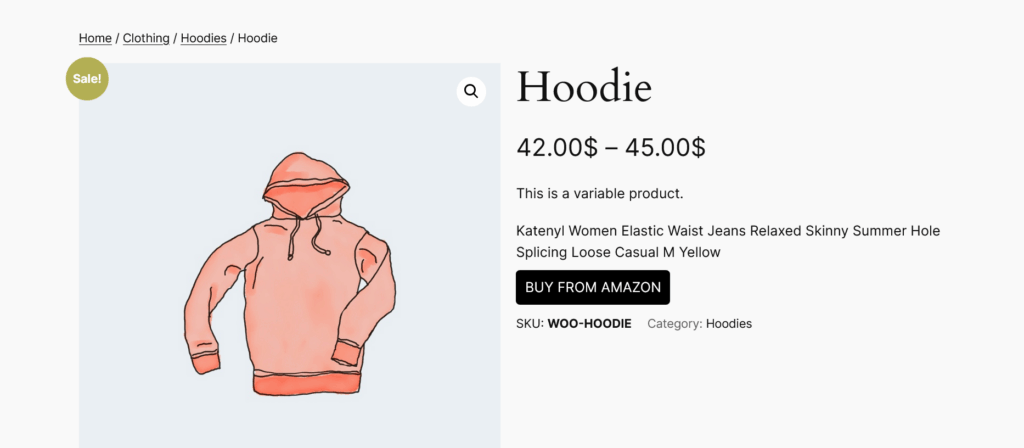
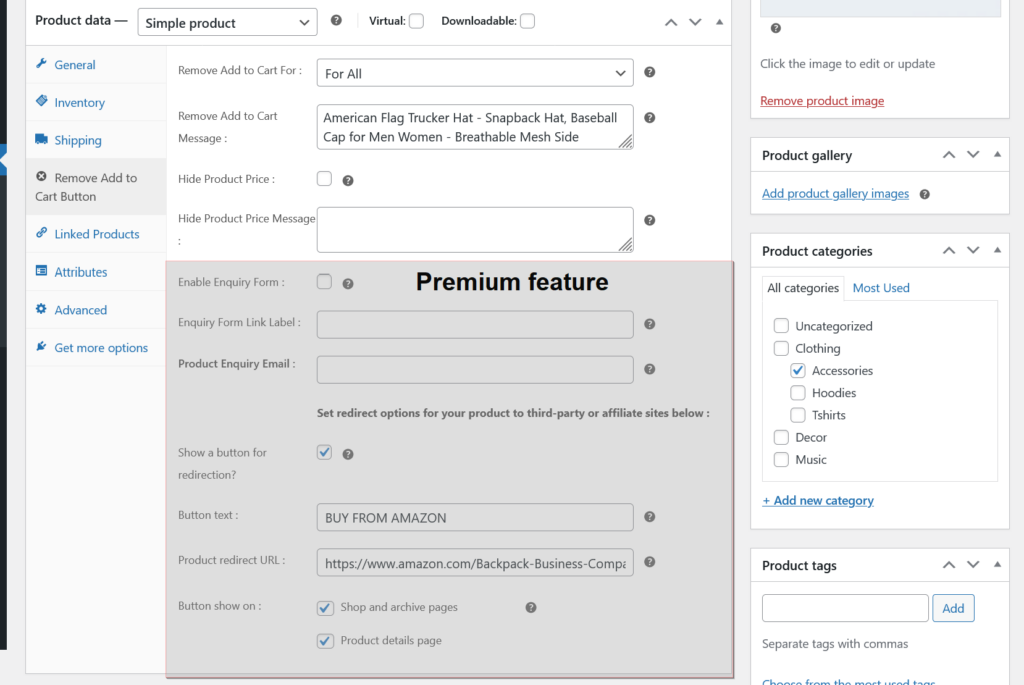
- Redirect products to third-party or affiliate sites with a custom URL.
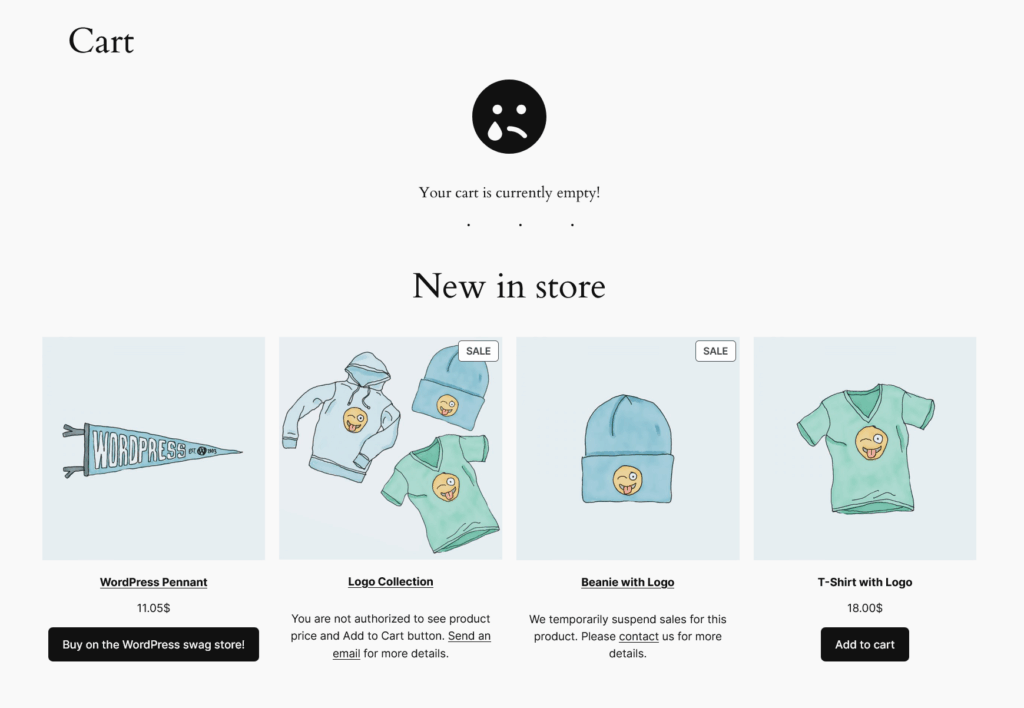
- Show/hide custom messages on the shop, category, and product detail pages.
- Change the default Out of Stock and Back-order messages for individual products.
- Show “Add to Cart” and Price only on certain pages ( shop page, archive pages( categories ) and single product( product details page ) ).
- Priority email support.


Download Remove Add to Cart Button for WooCommerce Plugin from the WordPress directory.
Plugins to Enhance Your WooCommerce Store
Carefully selected tools to help you customize, manage, and optimize your WooCommerce experience.
Woo Parent Category Selector
- Automatically assign parent categories when child categories are selected
- Prevent accidental removal of required parent categories
- Automatically repairs missing parent category assignments during product save
- Bulk repair existing WooCommerce product category structures
- Keeps product category structures organized and consistent

Product Catalog Mode For WooCommerce
- Turn your WooCommerce store into catalog mode instantly
- Hide Add to Cart buttons and product prices conditionally
- Apply rules by user role, country, or scheduled time periods
- Display custom messages and inquiry options for products
- Control visibility settings globally or per product

Remove Add to Cart Button for WooCommerce
- Remove Add to Cart buttons from shop and product pages
- Hide buttons conditionally for selected products or categories
- Replace Add to Cart with custom text or messages
- Control button visibility by user role and product type
- Lightweight settings interface with easy customization

Remove Product Content for WooCommerce
- Hide product title, image, price, rating, and descriptions
- Remove tabs, meta information, SKU, tags, and related products
- Control visibility separately for shop and single product pages
- Customize WooCommerce layouts without coding
- Enable or disable content elements with simple settings

Really Simple XML and HTML Sitemap
- Generate both XML and HTML sitemaps automatically
- Display sitemaps anywhere using ShortCode support
- Include pages, posts, and custom post types
- Exclude selected pages or posts easily
- Supports WPML and Polylang multilingual plugins


So… where is the premium version…?
Here is the link to WordPress ORG : https://wordpress.org/plugins/remove-add-to-cart-button-for-woocommerce.
After installing the free version, you can see a notice to Upgrade Premium in your WordPress Dashboard area.
Or you can checkout the premium version directly from here : https://checkout.freemius.com/mode/dialog/plugin/6639/plan/10817/.
Hi
I just downloaded the Remove Add to Cart Button for WooCommerce plugin and its amazing
But there is a problem with the (Hide Product Price) feature
It doesnt hide the price of Variable Products
I would be really thankful if you fix this in the next update
Thanks for your feedback. I can take a look on this for the next version.