Remove Product Content for WooCommerce
The Remove Product Content for WooCommerce plugin allows store owners to easily customize product pages by removing unwanted sections or elements without altering theme files or using custom code.
Price: $29 / Lifetime
About This Plugin
Ideal for optimizing the product page layout, the plugin provides a user-friendly interface where admins can disable specific content like Add to Cart button, product price, Image, descriptions, short description, rating, reviews, tags, brands, additional information fields or related products, giving them full control over the page design.
Store owners can add and show a custom message on different places.
Simplify and streamline WooCommerce product pages to create a cleaner, more focused shopping experience for customers.
Here we can add settings from three different places.
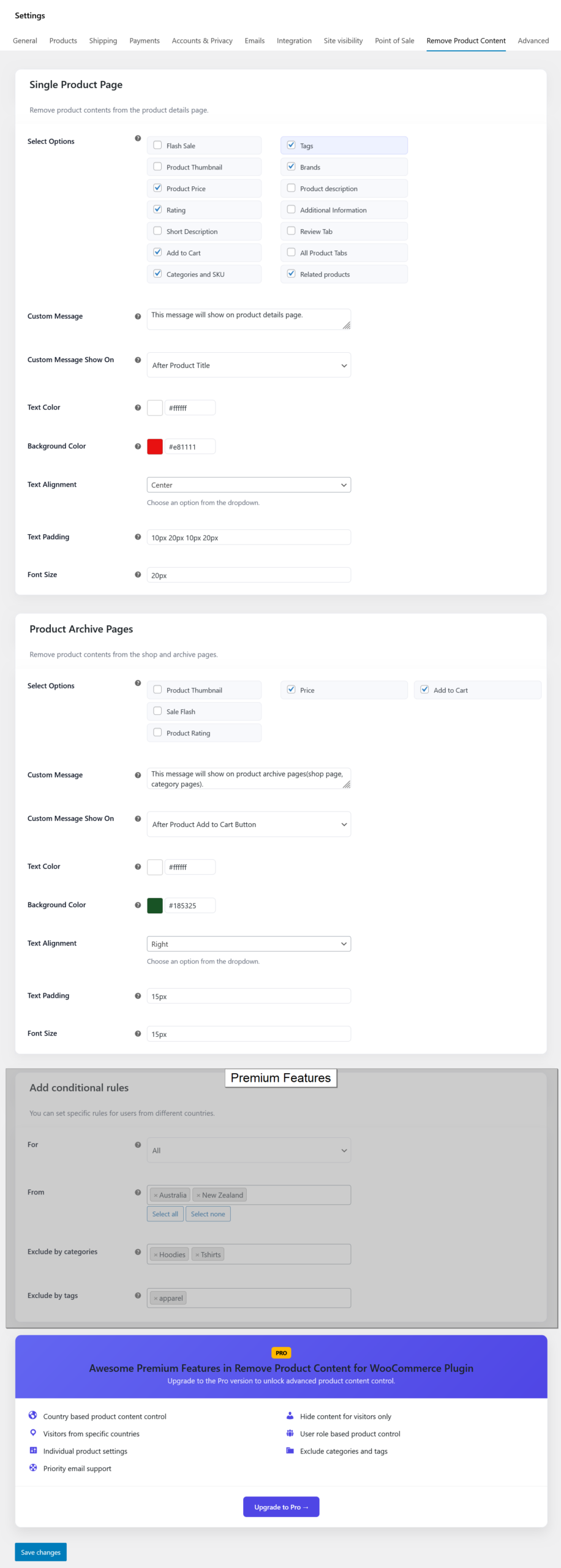
- Global Settings: This is a global option to set settings for all products.
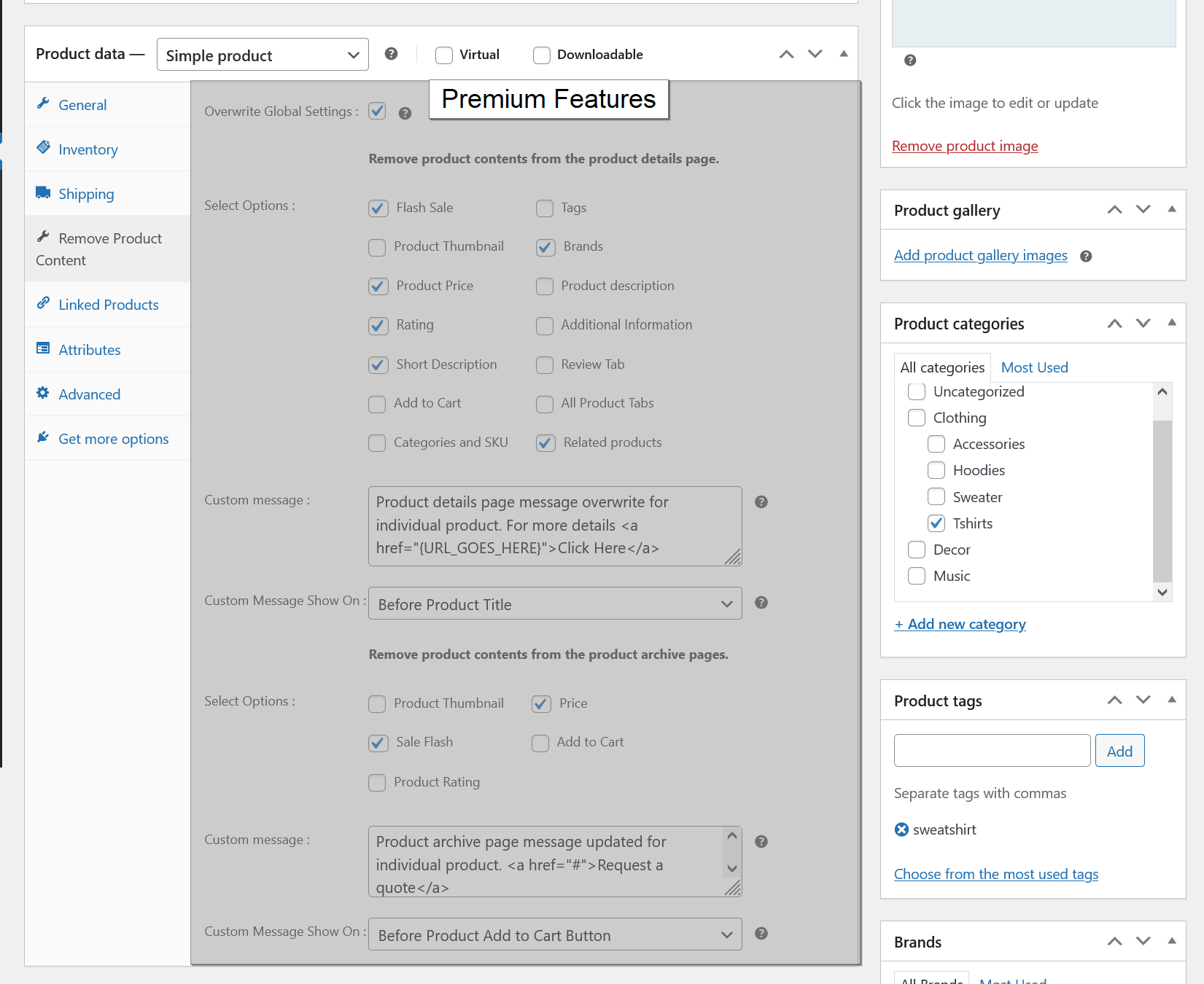
- Individual Product Settings: This is an option to set settings for a specific product.
If we add settings from global settings and individual product settings then the individual product settings will have the first priority and then global settings.
Plugin Details
| Current Version : | 1.0.8 |
| Latest Update : | 11/09/2026 |
| Active installations: | 70+ |
| WordPress Version : | 6.3 or higher |
| Tested up to : | 7.1 |
| PHP Version : | 7.4 or higher |
| Price : | $29 / Lifetime |
Donate
Would you like to support the advancement of this plugin?
Plugin Features
Free Features
Premium Features
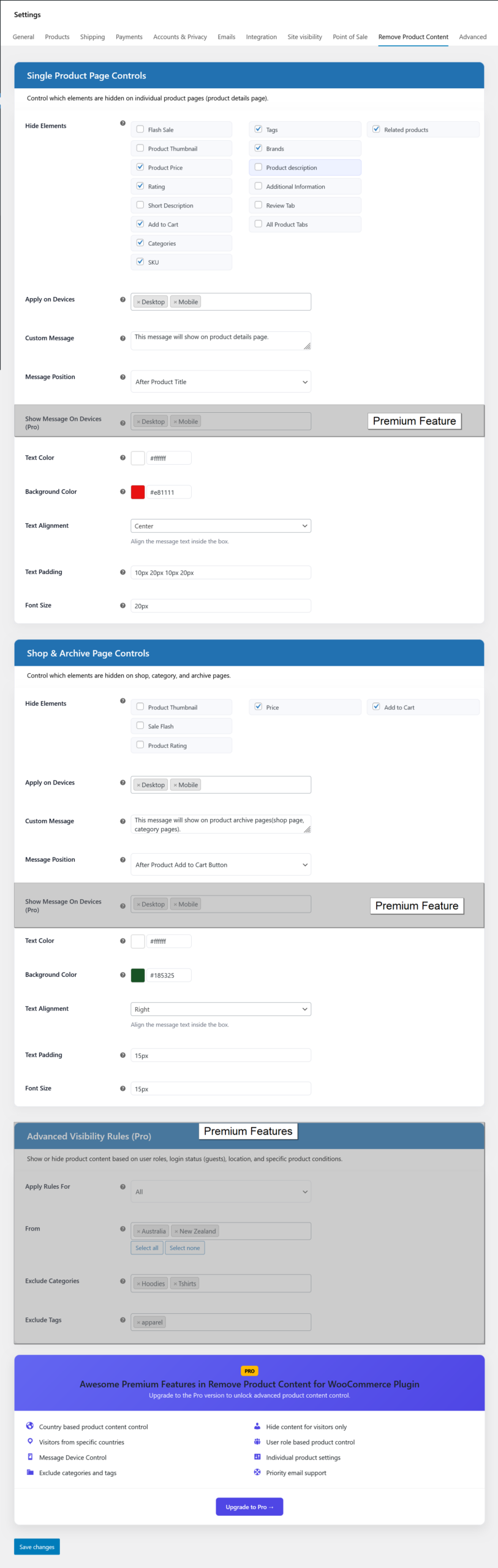
Remove Product Content for all users from selected countries
- Select which product contents you want to remove/hide( required )
- Add custom message which will show in frontend( Optional )
- Select custom message showing location in frontend( Optional )
- Set custom message text and background color, text alignment, text padding and font size
- Select for all users option ( required ).
- Select from countries ( optional ).
- Exclude categories( optional ).
- Exclude tags( optional ).
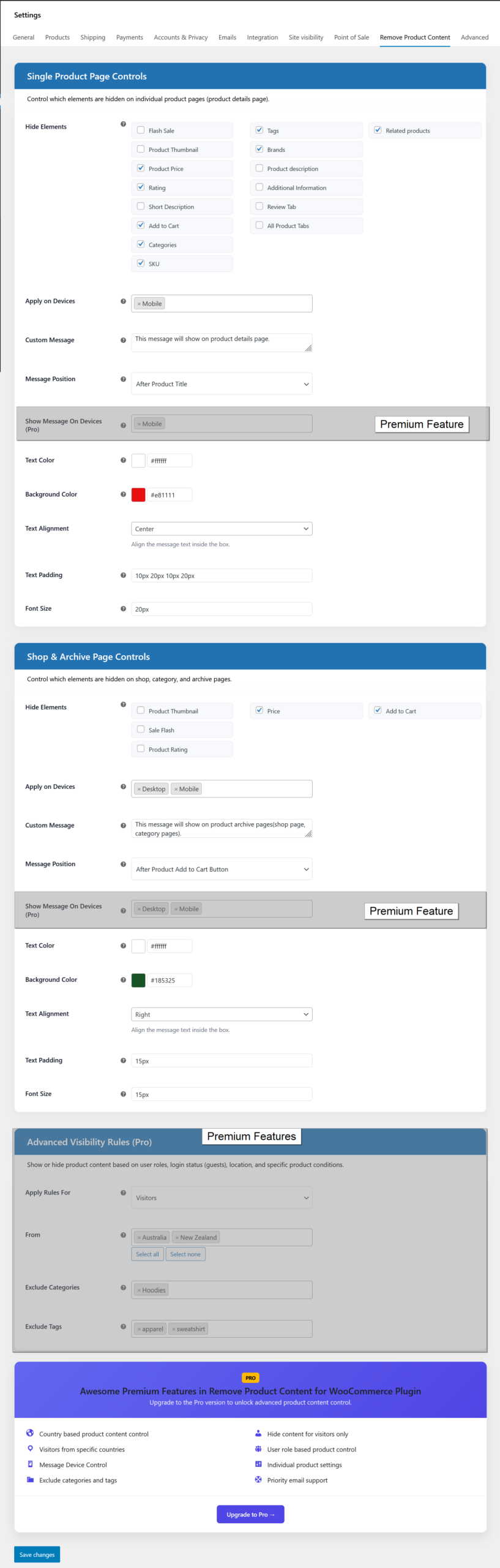
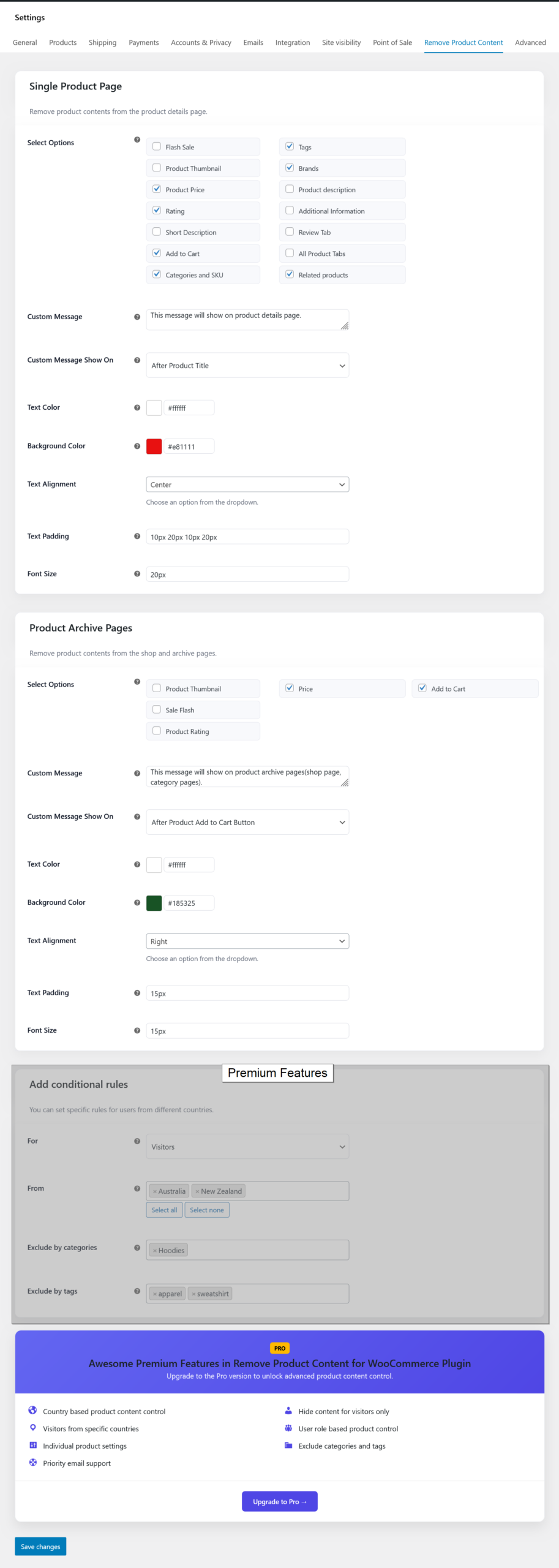
Remove Product Content for visitors from selected countries
- Select which product contents you want to remove/hide( required )
- Add custom message which will show in frontend( Optional )
- Select custom message showing location in frontend( Optional )
- Set custom message text and background color, text alignment, text padding and font size
- Select for visitors option ( required ).
- Select from countries ( optional ).
- Exclude categories( optional ).
- Exclude tags( optional ).
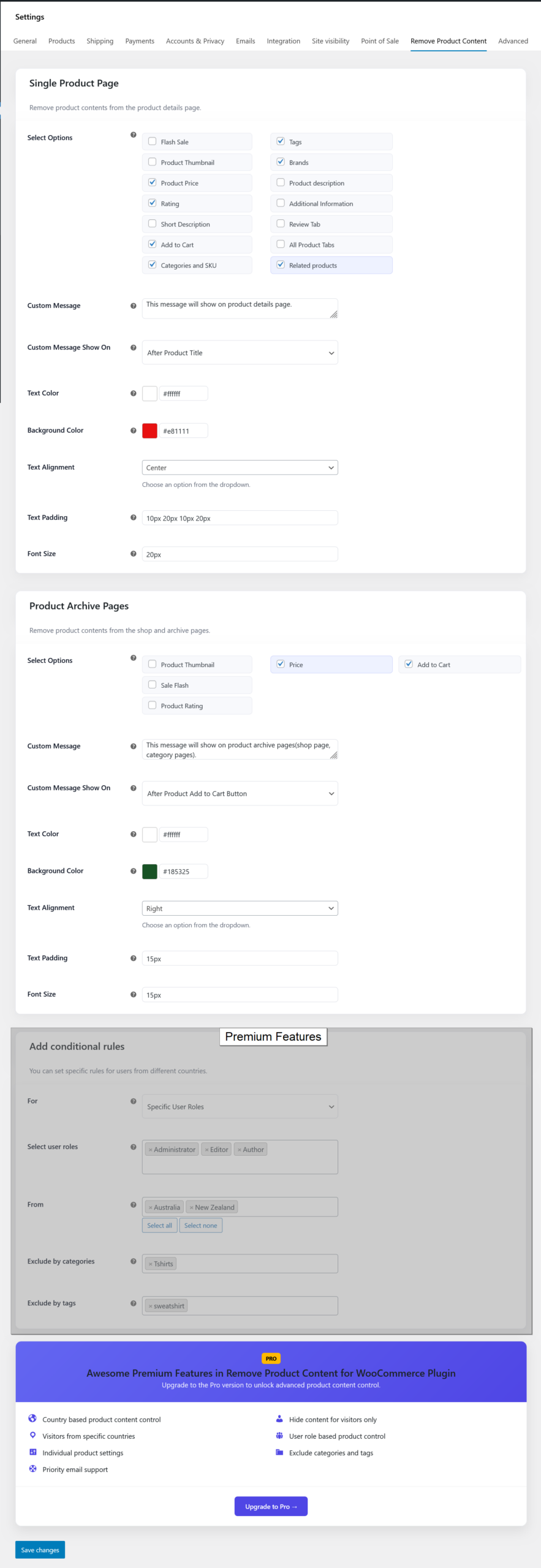
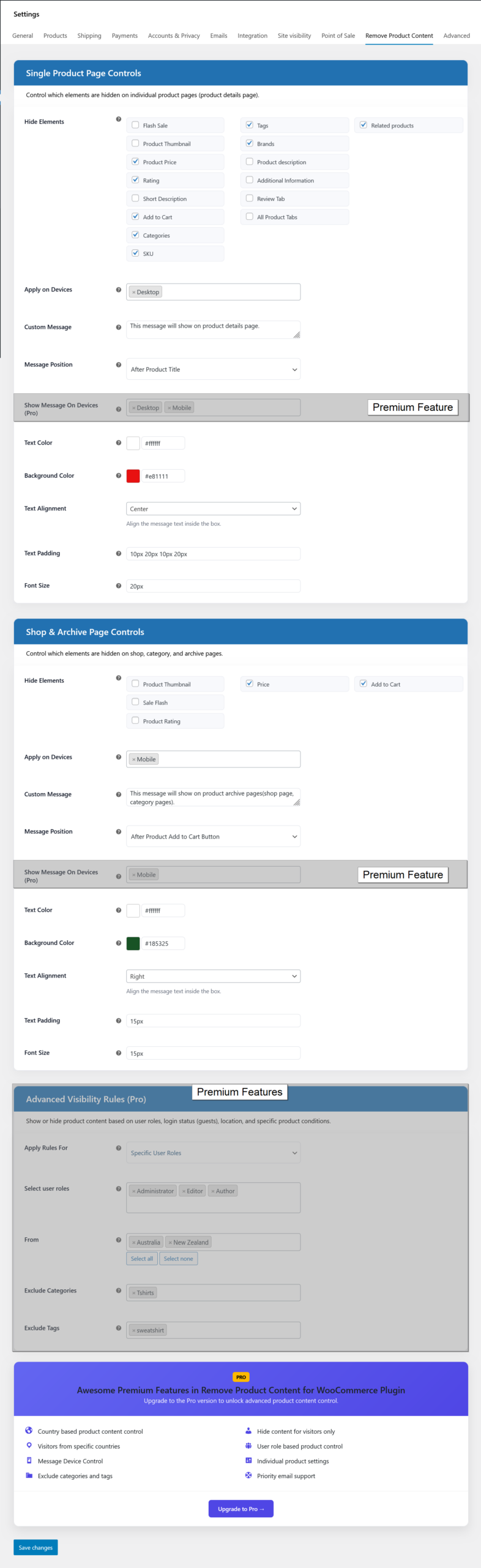
Remove Product Content for selected user roles from selected countries
- Select which product contents you want to remove/hide( required )
- Add custom message which will show in frontend( Optional )
- Select custom message showing location in frontend( Optional )
- Set custom message text and background color, text alignment, text padding and font size
- Select for specific user roles option ( required ).
- Select user roles ( required ).
- Select from countries ( optional ).
- Exclude categories( optional ).
- Exclude tags( optional ).
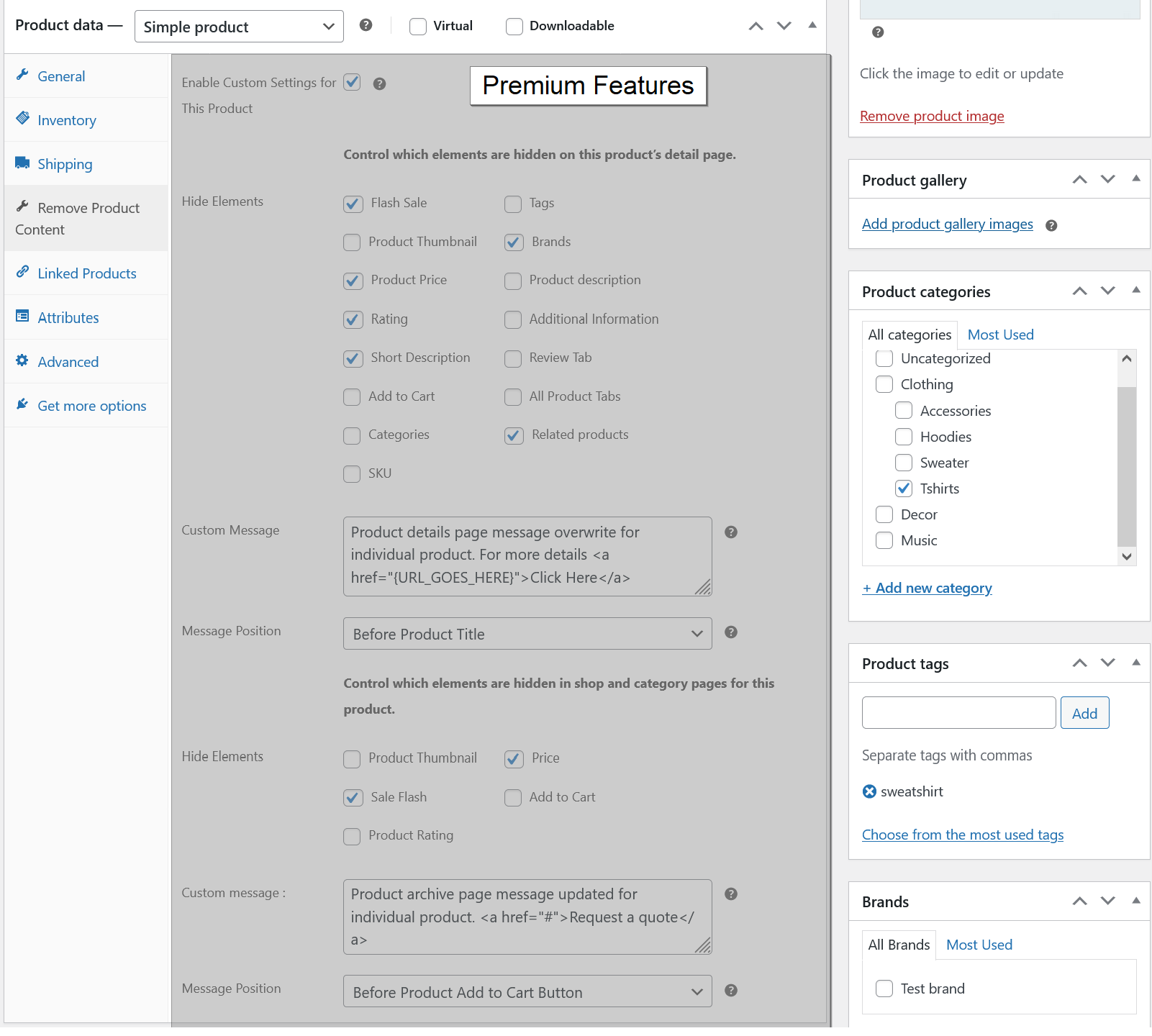
Overwrite Remove Product Content global settings for specific products
- Select overwrite global settings option ( required ).
- Select which product contents you want to remove/hide( required )
- Add custom message which will show in frontend( Optional )
- Select custom message showing location in frontend( Optional )
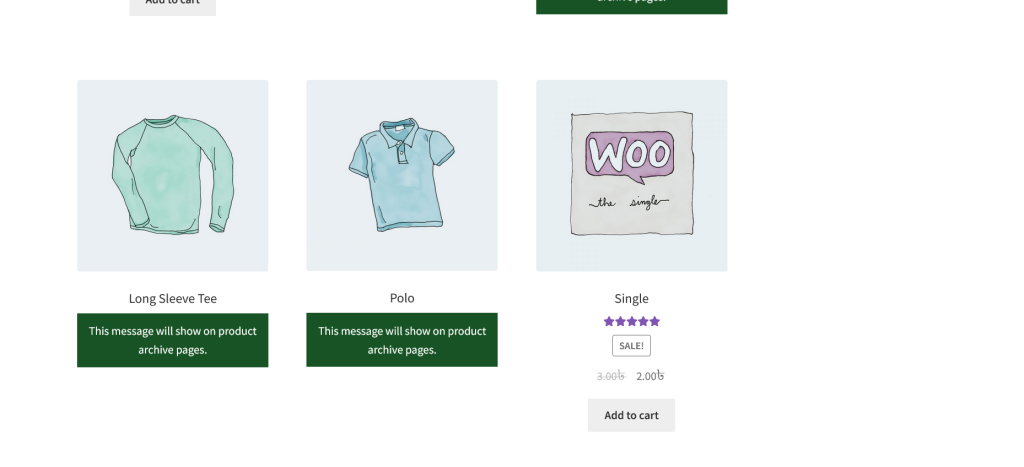
Product archive pages
- Removed contents from product archive pages which are you set from admin settings.
- Showing custom message when product contents are removed.
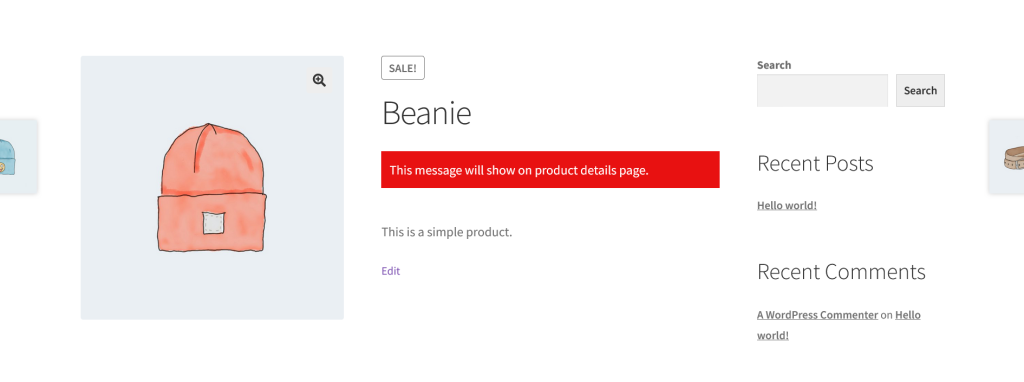
Product details page
- Removed contents from product page which are you set from admin settings.
- Showing custom message when product contents are removed.
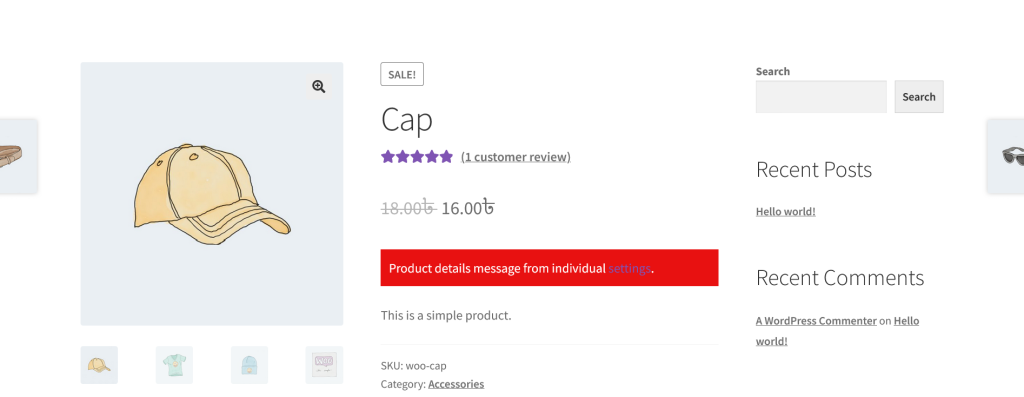
Product details page
- Removed contents from product page which are you set from admin settings.
- Showing custom message when product contents are removed.
Screenshots