Remove Add to Cart Button for WooCommerce
If you are a store owner and you want to make your products not available for sale or temporarily closed sales due to some reasons then this plugin is for you. Remove Add to Cart Button for WooCommerce plugin gives you a really easy interface to hide/remove the product Add to Cart button and product price based on different conditions.
Price: $19 / Lifetime
About This Plugin
If you need to hide or remove the Add to Cart button from product listing pages, product detail pages, or WooCommerce block-based product grids, this plugin provides a simple and effective solution. It allows you to disable the Add to Cart button either for all users or exclusively for visitors. When configured for visitors, you can enable a checkbox option to display a Login button in place of the hidden Add to Cart button. Additionally, you can add a custom message that will appear whenever the button is hidden, with full control to customize the text and background color, set text alignment, padding, and font size for these messages.
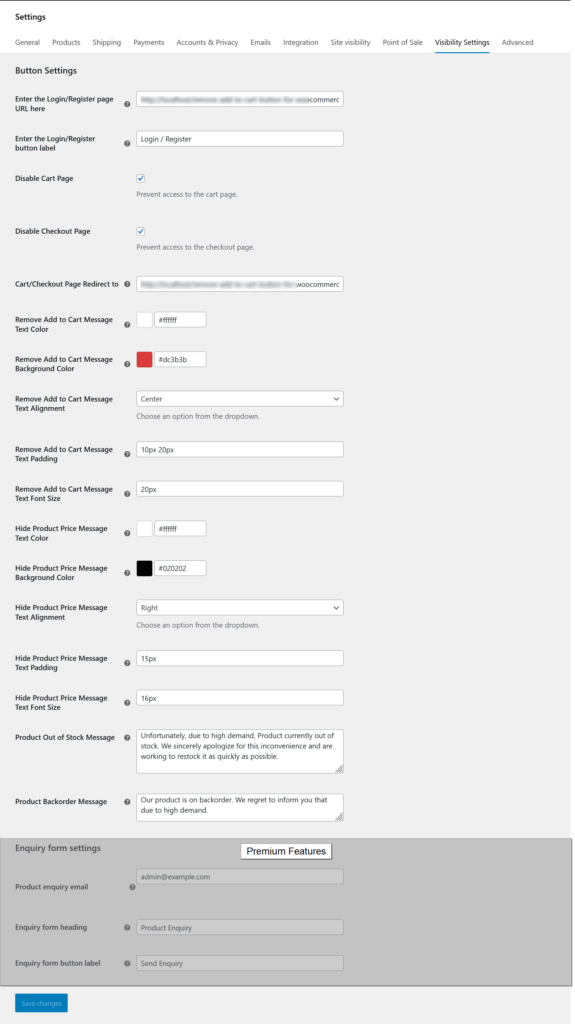
The plugin includes a dedicated settings section where you can specify your custom login page URL (if left blank, the default WooCommerce login/register page will be used) and customize the label of the login button. Advanced options are also available, such as hiding product prices, restricting access to the cart and checkout pages, and defining a redirect URL for unauthorized access attempts. Furthermore, the plugin enables you to personalize the default Out of Stock and Backorder messages, ensuring a more tailored shopping experience for your customers.
Here we can add settings from three different places.
- Global Settings: This is a global option to set settings for all products.
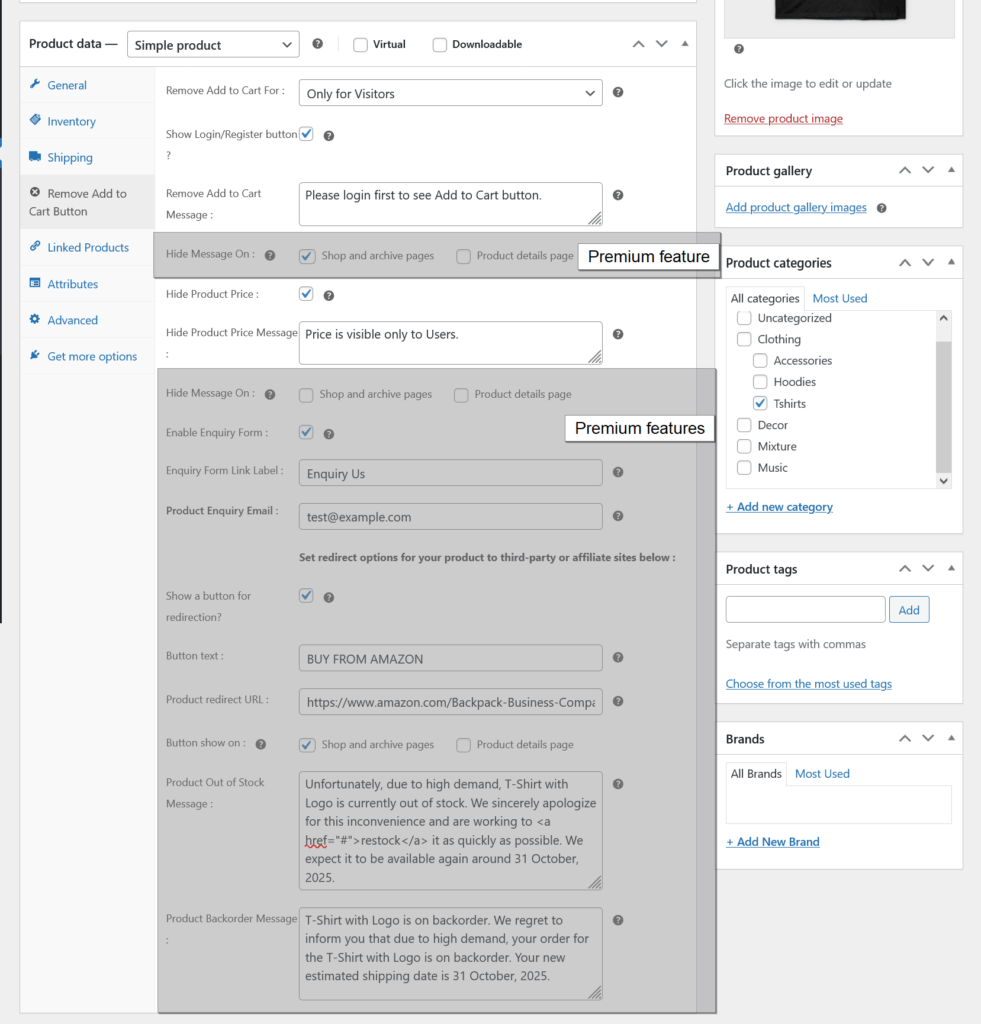
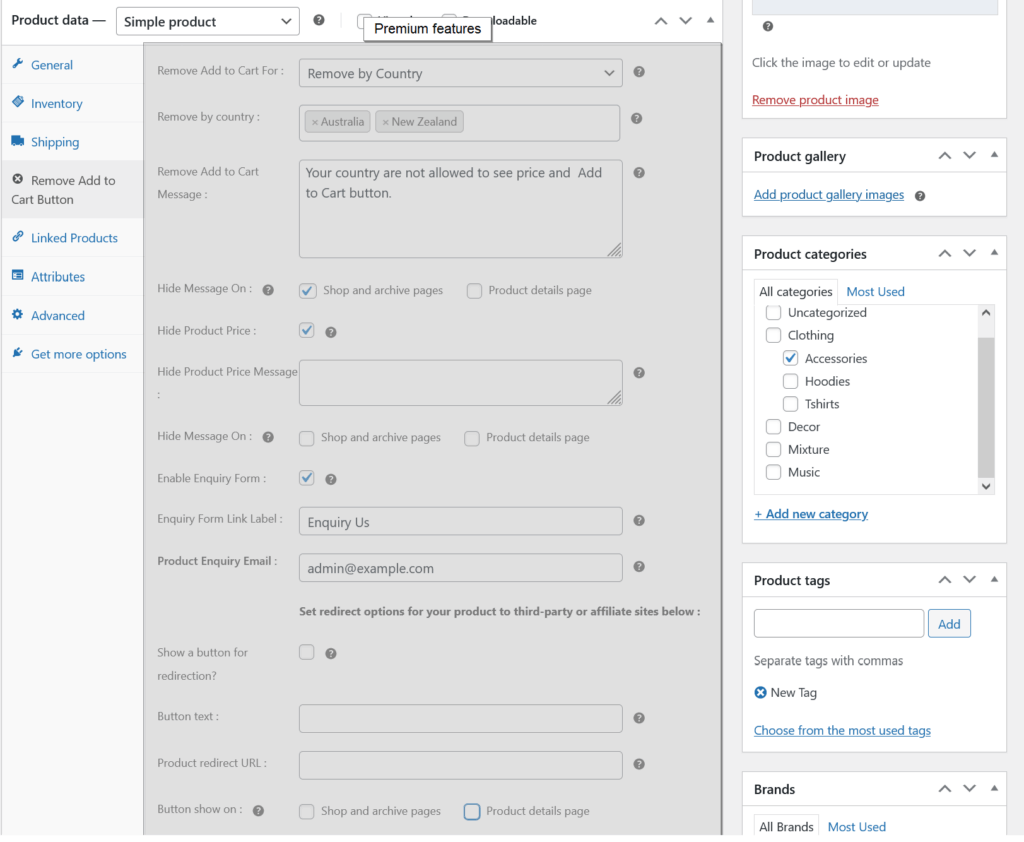
- Individual Product Settings: This is an option to set settings for a specific product.
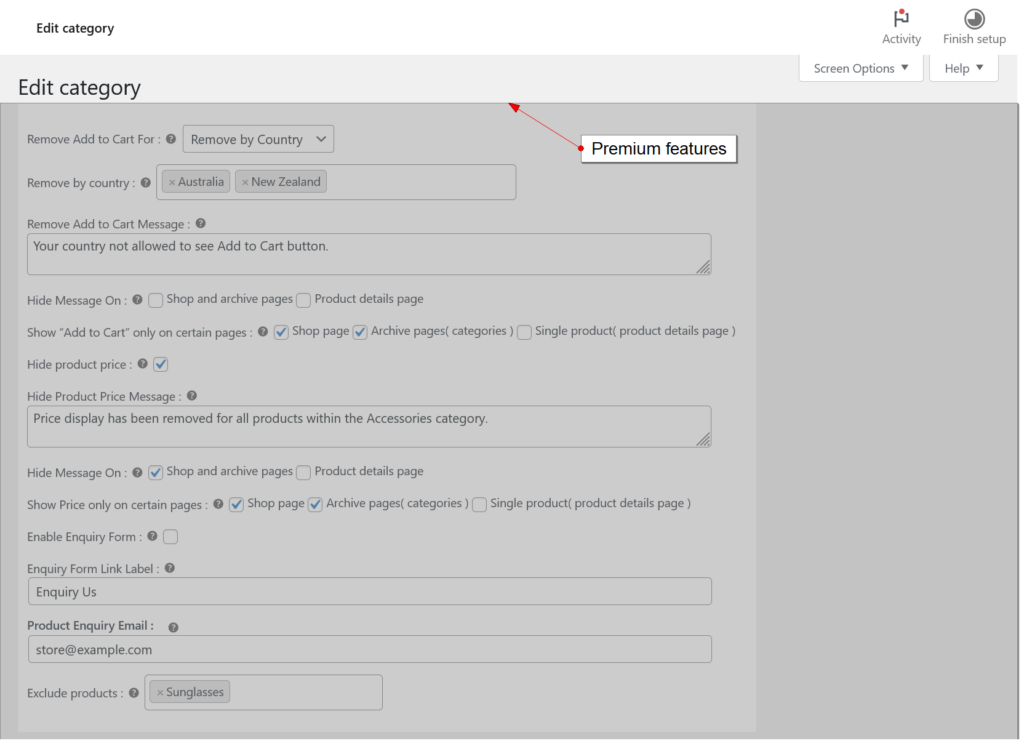
- Category Settings: This is an option to set settings for all products of the product category.
If we add settings from both category settings and individual product settings then the individual product settings will have the first priority and then category settings.
Plugin Details
| Current Version : | 2.2.0 |
| Latest Update : | 02/09/2026 |
| Active installations: | 500+ |
| WordPress Version : | 6.3 or higher |
| Tested up to : | 7.1 |
| PHP Version : | 7.4 or higher |
| Price : | $19 / Lifetime |
Donate
Would you like to support the advancement of this plugin?
Plugin Features
Free Features
Premium Features
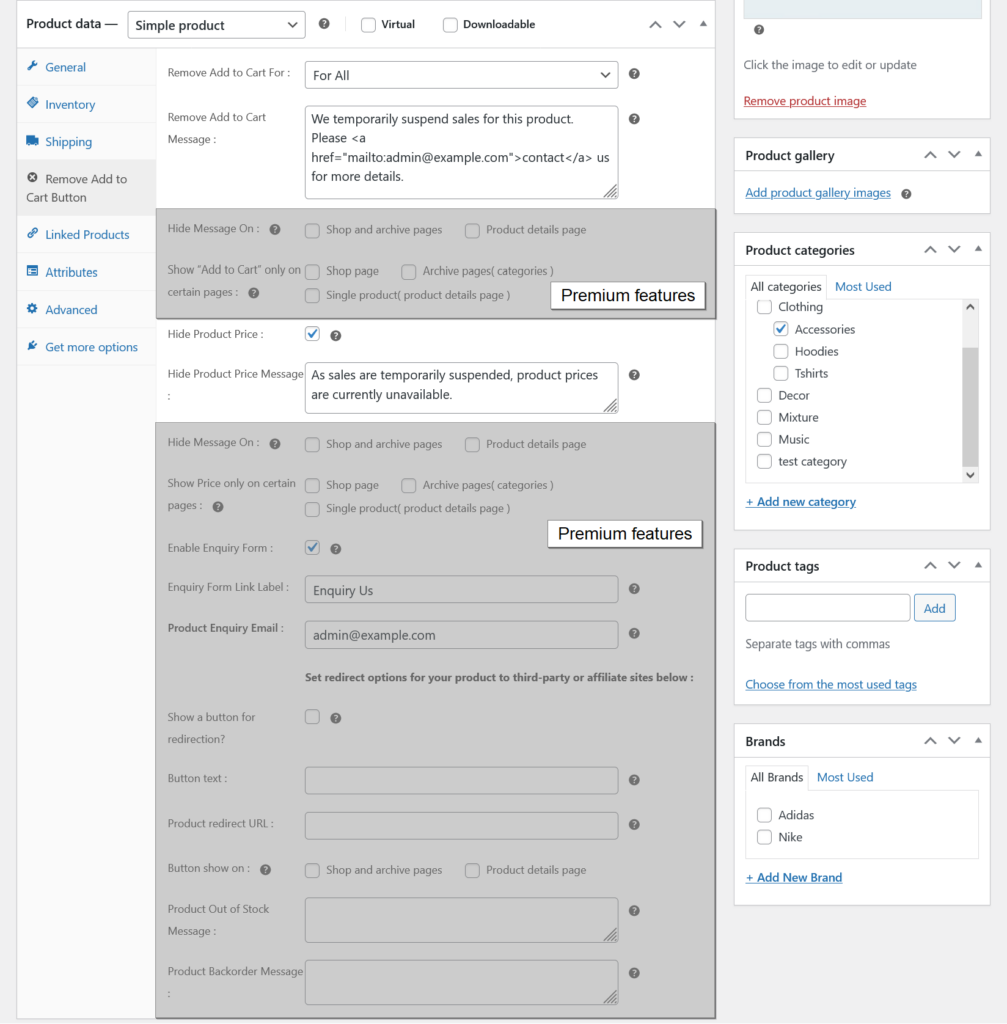
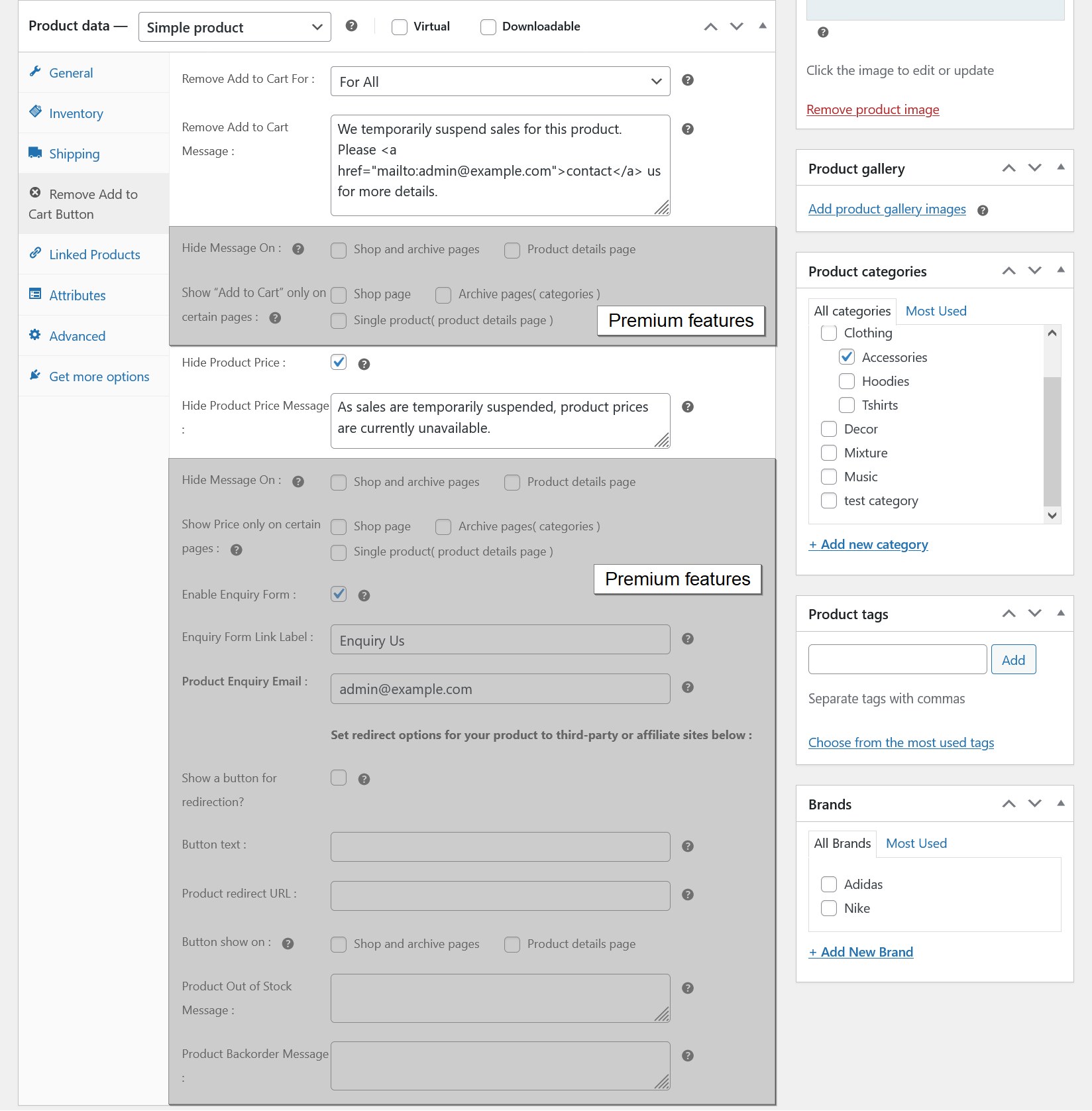
Remove Add to Cart Button for all users
- Select for all user option ( required ).
- Add custom message which will show in frontend instead of Add to Cart button.
- Hide product price.
- Add custom message which will show in frontend instead of product price.
- Have an options to show/hide custom messages from shop page, category pages and product details page.
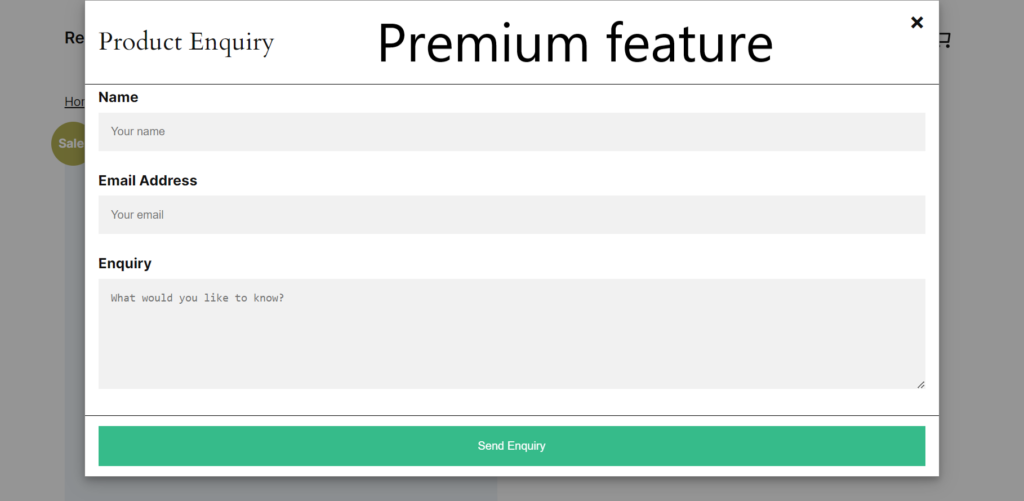
- Enable enquiry form.
- Allow to add third-party or affiliate link.
- Change the default Out of Stock and Back order messages for individual products.
- Show “Add to Cart” and Price only on certain pages ( shop page, archive pages( categories ) and single product( product details page ) ).
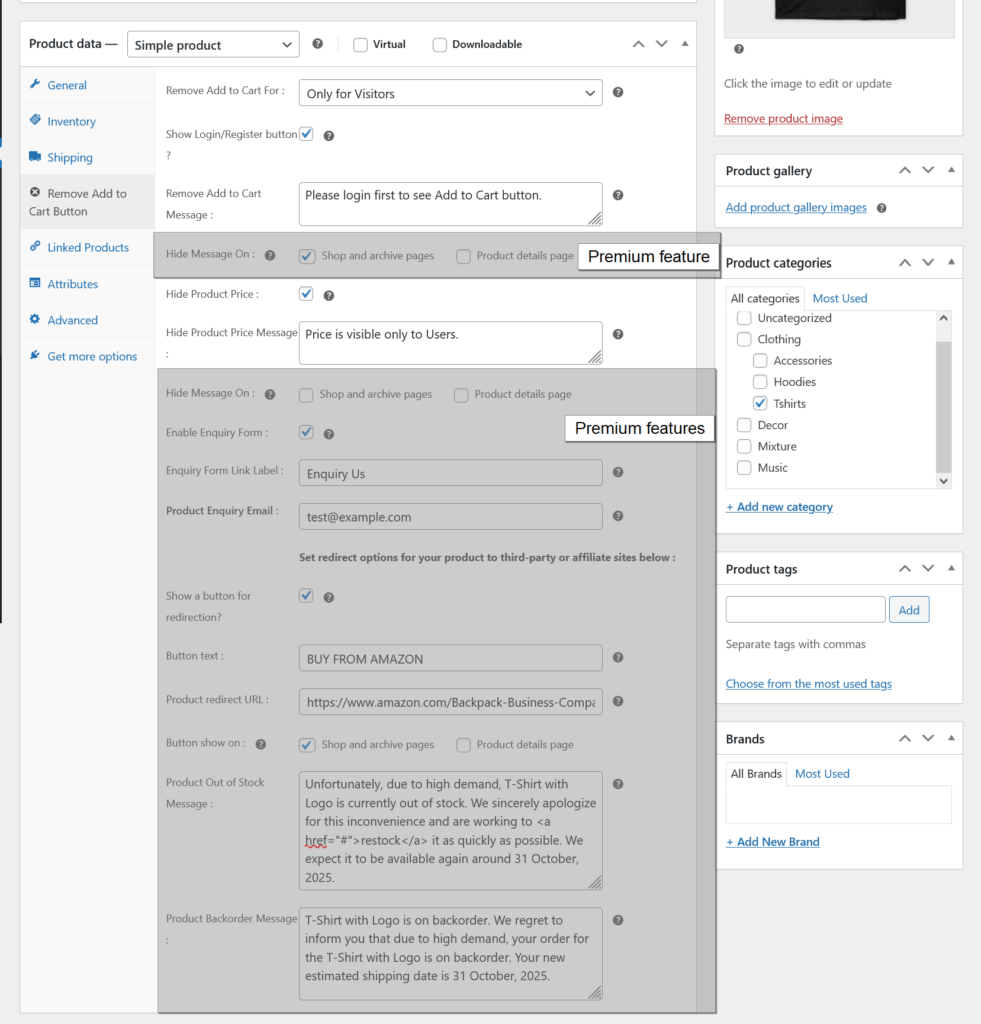
Remove Add to Cart Button for visitors
- Select for visitors option ( required ).
- Show login/register button when Add to Cart hide for the visitors.
- Add custom message which will show in frontend instead of Add to Cart button.
- Hide product price.
- Add custom message which will show in frontend instead of product price.
- Have an options to show/hide custom messages from shop page, category pages and product details page.
- Enable enquiry form.
- Allow to add third-party or affiliate link.
- Change the default Out of Stock and Back order messages for individual products.
- Show “Add to Cart” and Price only on certain pages ( shop page, archive pages( categories ) and single product( product details page ) ).
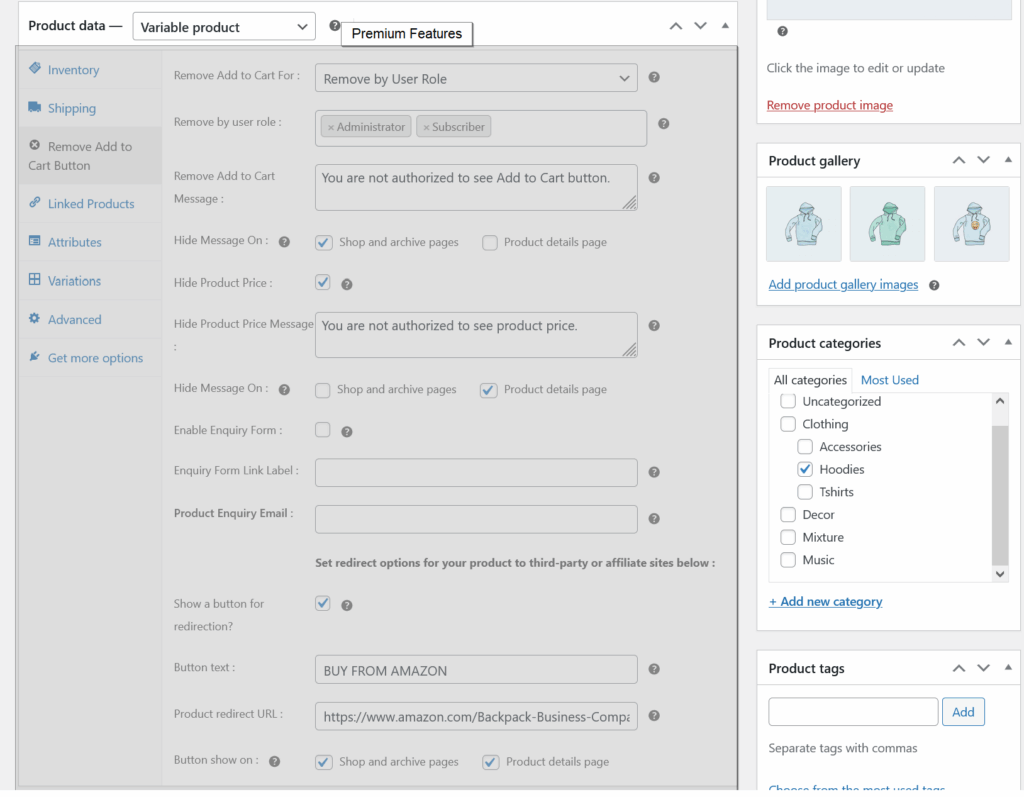
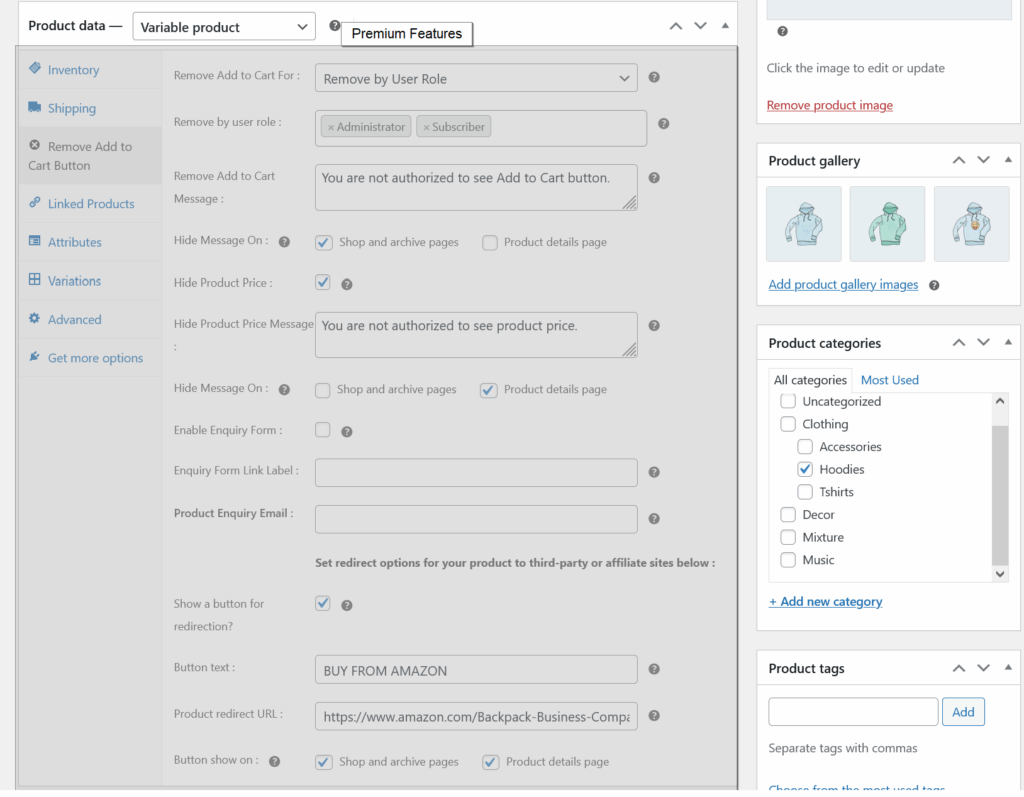
Remove Add to Cart Button for selected user roles
- Select for remove by user role option ( required ).
- Add custom message which will show in frontend instead of Add to Cart button.
- Hide product price.
- Add custom message which will show in frontend instead of product price.
- Have an options to show/hide custom messages from shop page, category pages and product details page.
- Enable enquiry form.
- Allow to add third-party or affiliate link.
- Change the default Out of Stock and Back order messages for individual products.
- Show “Add to Cart” and Price only on certain pages ( shop page, archive pages( categories ) and single product( product details page ) ).
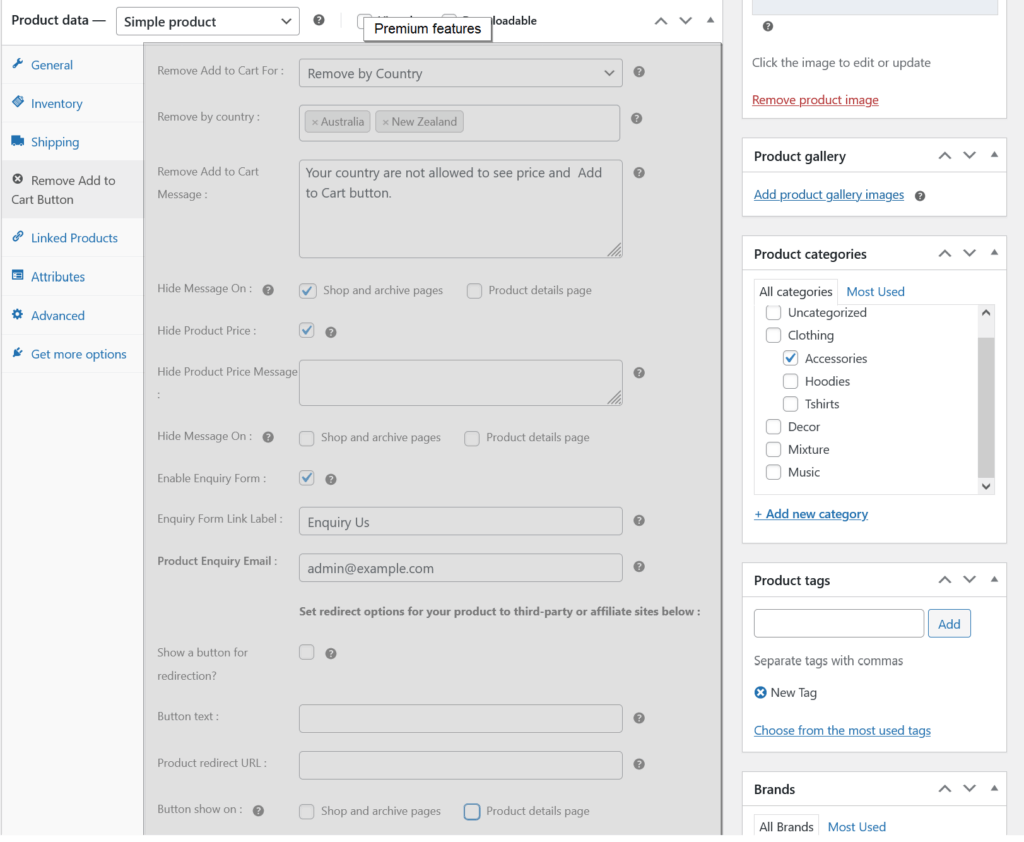
Remove Add to Cart Button for selected countries
- Select for remove by country option ( required ).
- Add custom message which will show in frontend instead of Add to Cart button.
- Hide product price.
- Add custom message which will show in frontend instead of product price.
- Have an options to show/hide custom messages from shop page, category pages and product details page.
- Enable enquiry form.
- Allow to add third-party or affiliate link.
- Change the default Out of Stock and Back order messages for individual products.
- Show “Add to Cart” and Price only on certain pages ( shop page, archive pages( categories ) and single product( product details page ) ).
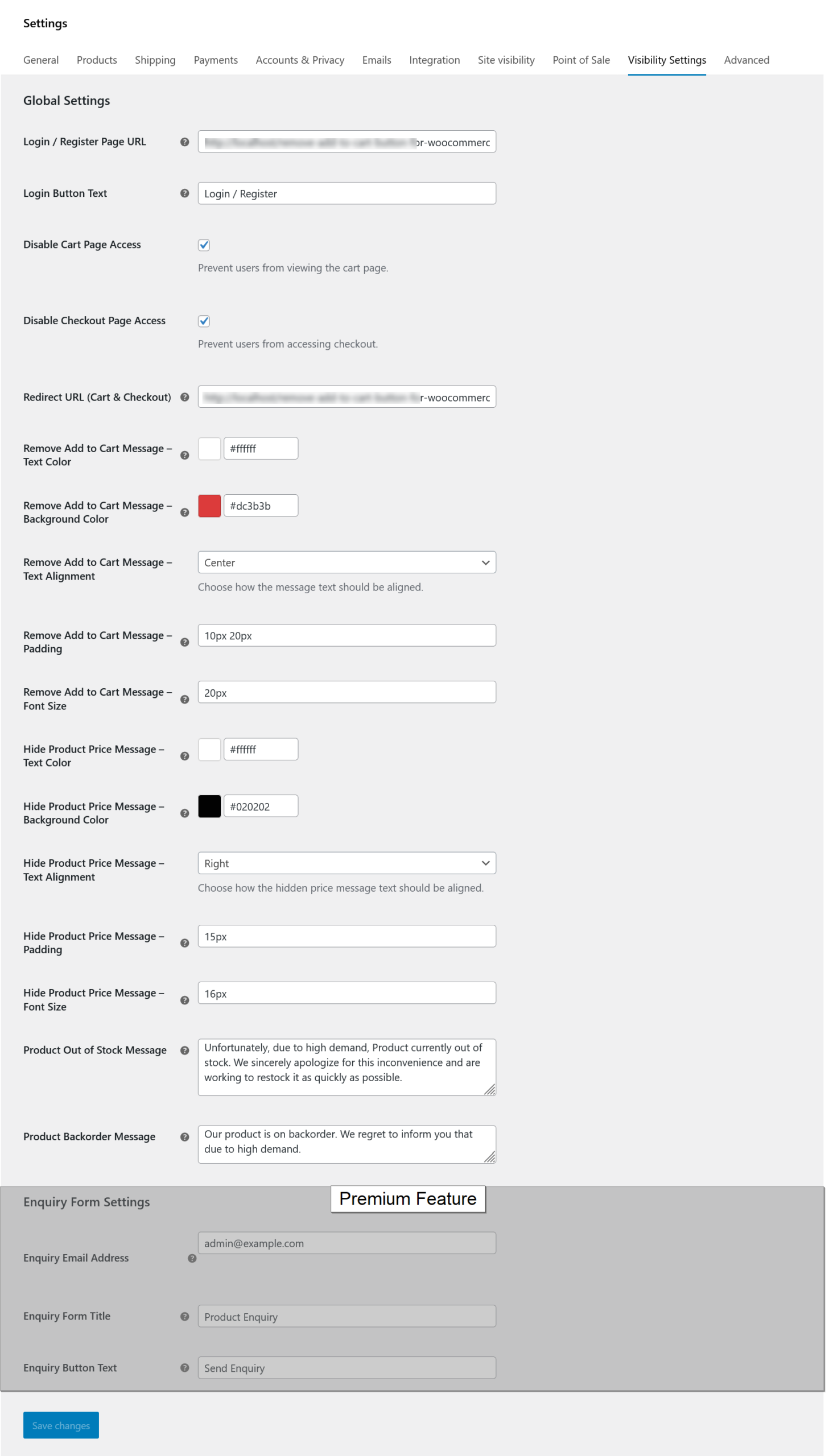
Global settings option
- Add custom login / registration page URL.
- Change button label.
- Prevent access to the cart and checkout page
- Set a redirect URL for the cart and checkout page
- Have options to set text and background color, set text alignment, padding and font size for the custom messages.
- Inquiry form settings.
- Change the default Out of Stock and Back order messages.
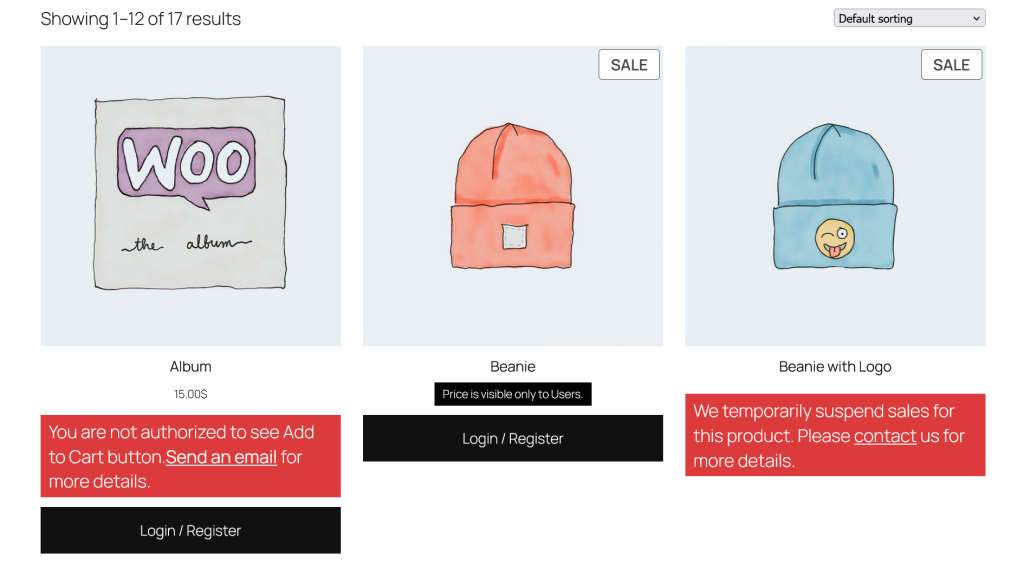
Product archive pages
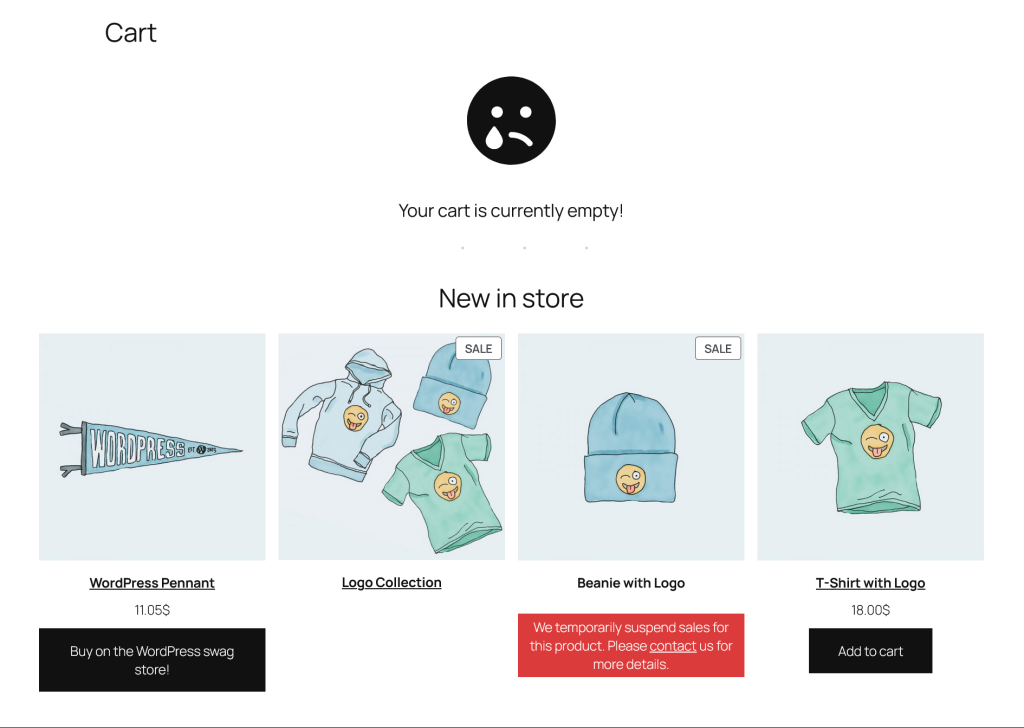
- Showing custom message when Add to Cart button is removed.
- Showing login / register button for visitors
- Hide product price and showing custom message.
- Text and background color for the custom messages.
Product details page
- Showing custom message when Add to Cart button is removed.
- Showing login / register button for visitors
- Hide product price and showing custom message.
- Text and background color for the custom messages.
- Showing Inquiry button.
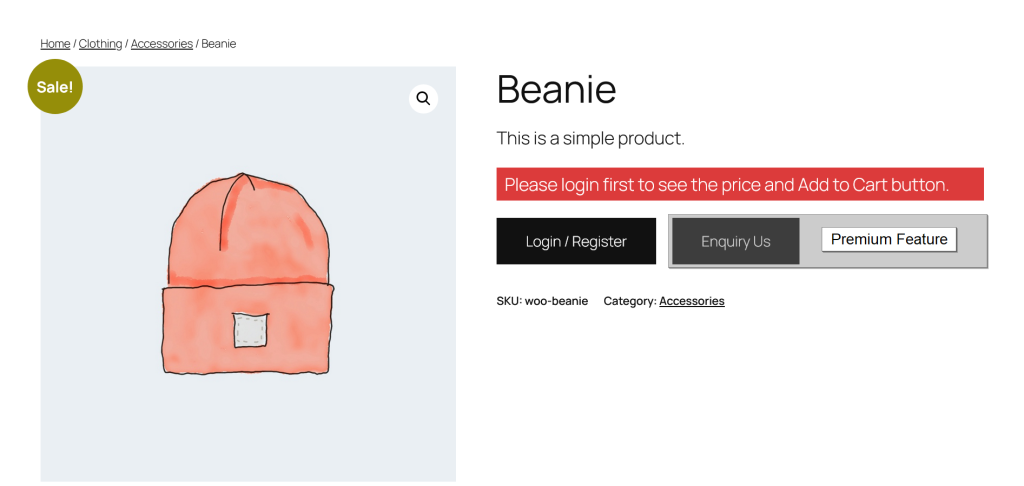

Product details page
- Showing Inquiry form.
Product details and archive pages
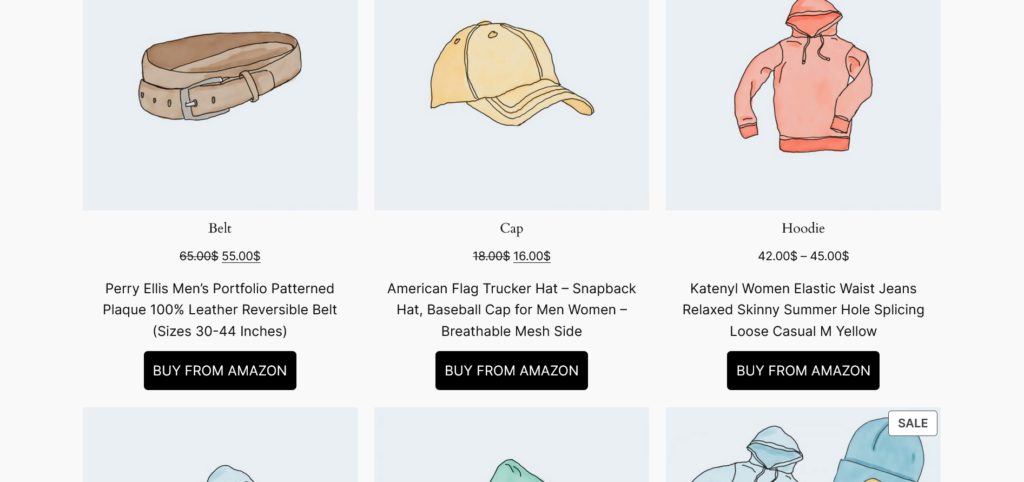
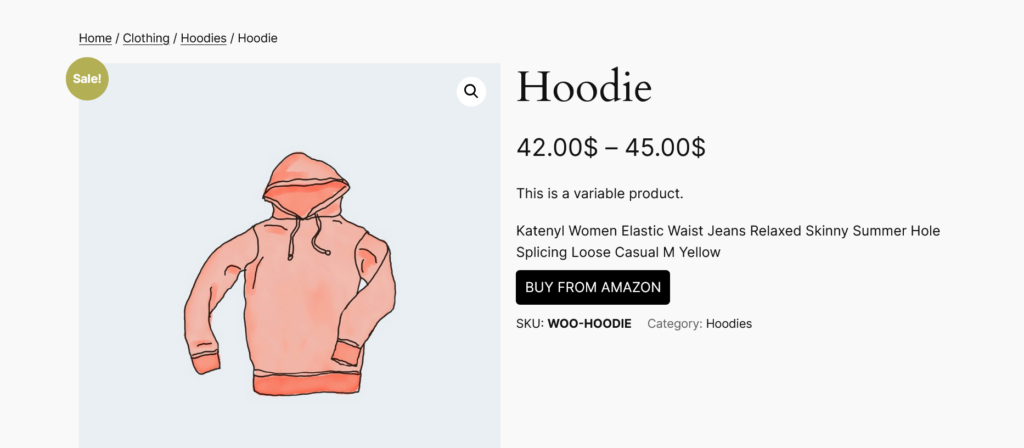
- Showing third-party or affiliate site button.
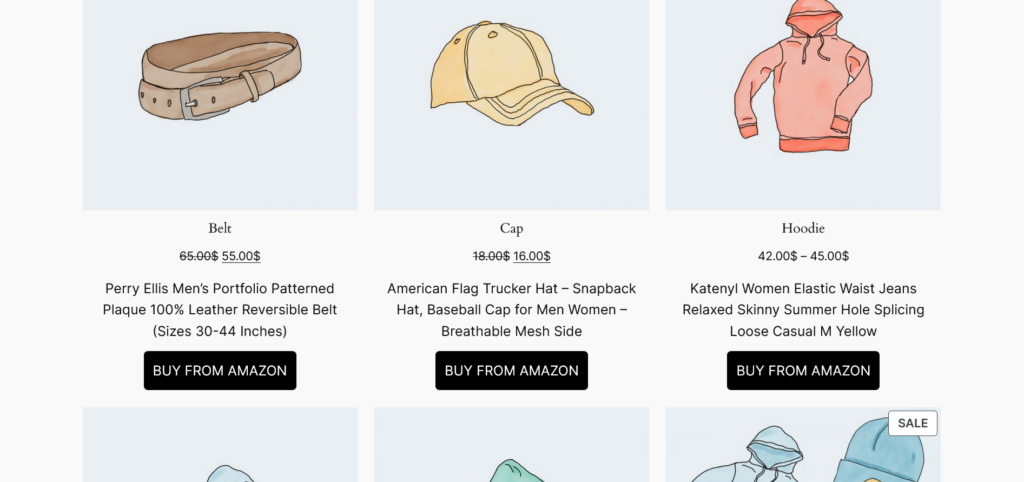
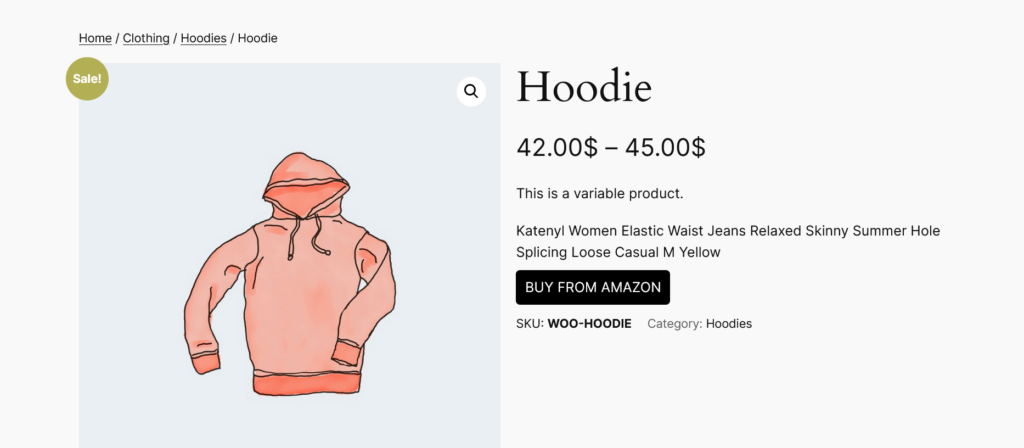
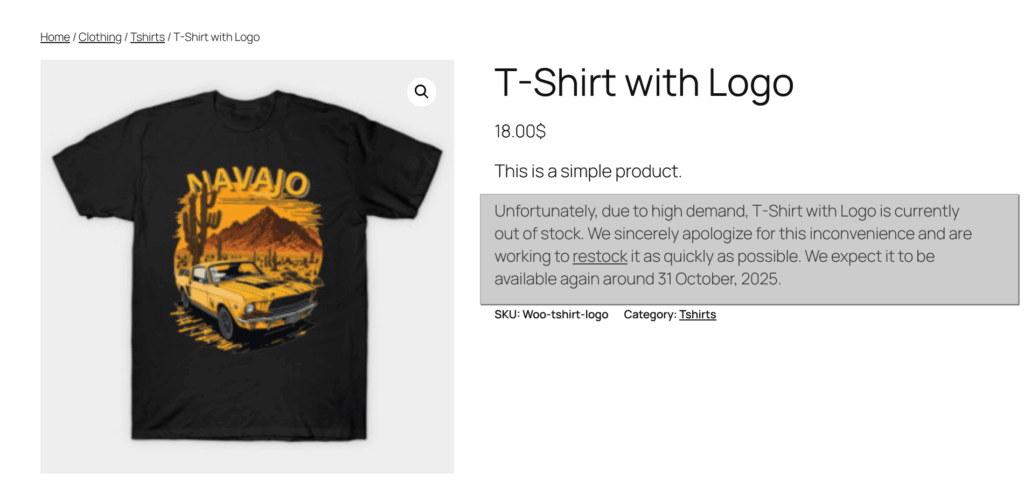
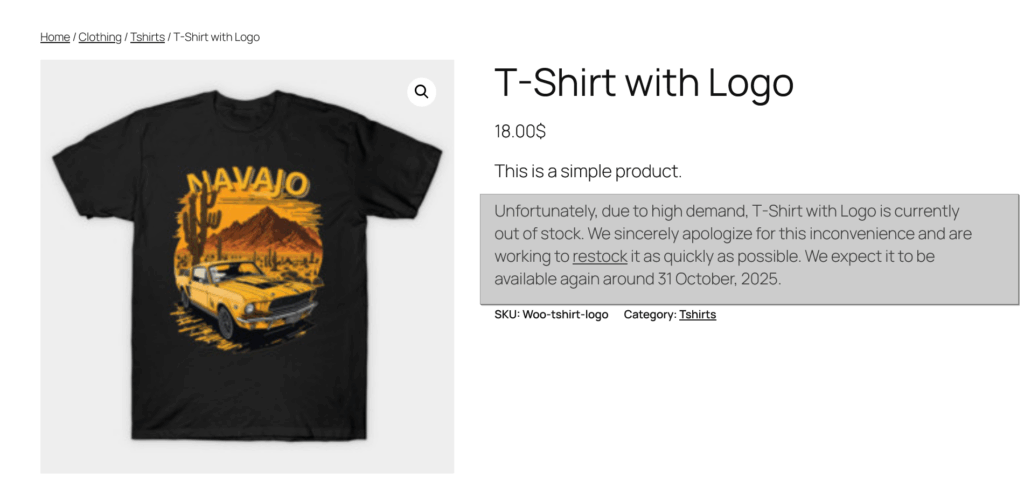
Change Out of Stock and Back Order message on Product details
- Showing custom message for Out of Stock and Back Order message.
Screenshots